Best 3D Printers Under $1,000 (2026): Top Picks Compared
By Chris Avery, Publisher / Editor
A $1,000 budget is enough for almost any home 3D printer, but spending all of it only makes sense if you need what the extra money buys: a heated chamber, a bigger build volume, low-waste multicolor printing or resin detail. This guide compares six current printers that qualified on their regular price, not a sale, and explains what each one adds over a $300 to $500 machine.
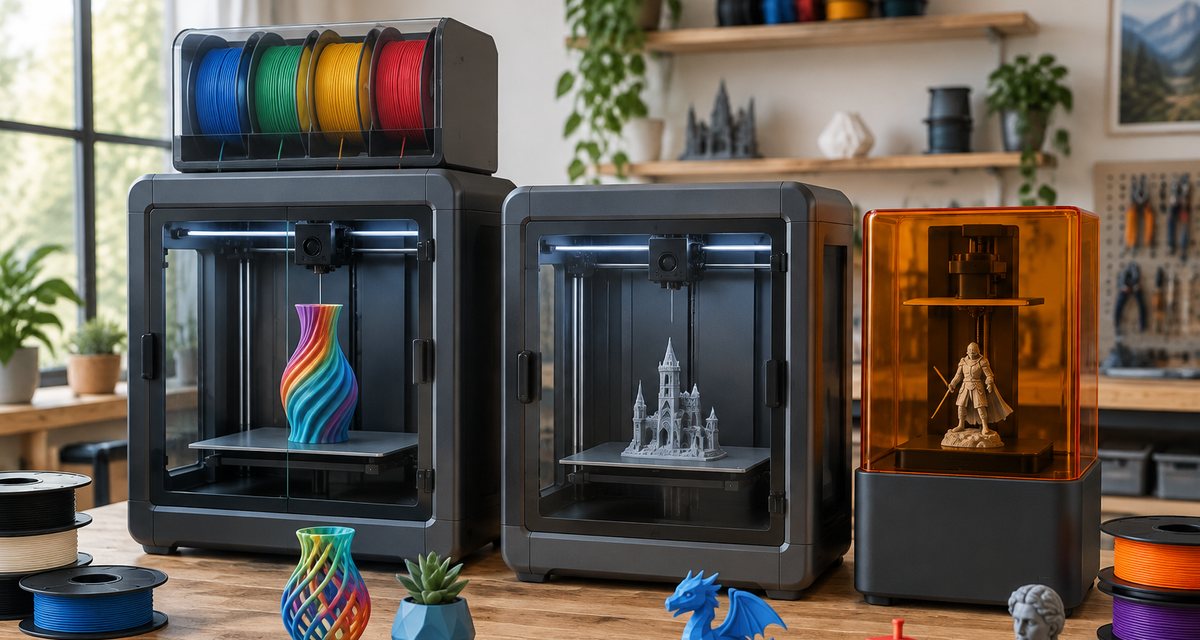
Quick Answer
The best 3D printer under $1,000 for most people is the Bambu Lab P2S Combo: enclosed, with a hardened steel nozzle and four-color printing, at a regular price well under $1,000. Choose the Snapmaker U1 for low-waste multicolor, the QIDI Plus5 for functional parts, the Anycubic Kobra S1 Max for large models and the Elegoo Saturn 4 Ultra 16K for resin detail.
Amazon buttons open Amazon.com search results for that exact printer name in a new tab, not a single product page. Results can include other configurations, bundles and older versions, and Amazon prices can differ from the maker's store, so check the model, configuration and price before you buy. Amazon affiliate links. As an Amazon Associate I earn from qualifying purchases.
TL;DR — Quick Summary
Best 3D Printers Under $1,000 — 2026 Picks
- 1🏆 Best overall / enclosed: Bambu Lab P2S Combo — enclosed, hardened nozzle, 4 colors with drying AMS 2 Pro
- 2💵 Best value: Elegoo Centauri Carbon 2 Combo — enclosed and 4 colors for under half the budget
- 3🎨 Best multicolor: Snapmaker U1 — four toolheads, far less purge waste
- 4🔩 Best for functional parts: QIDI Plus5 — 65°C heated chamber, 370°C nozzle, 320 mm plate
- 5📐 Best large-format: Anycubic Kobra S1 Max — 350 mm cube with 65°C chamber heating
- 6💎 Best resin: Elegoo Saturn 4 Ultra 16K — 16K screen, 14 × 19 μm XY resolution
What is Heated Chamber?
Heated Chamber An enclosure with its own heater that keeps the air around the print warm, usually up to 60°C to 65°C on desktop printers. It reduces warping and cracking in materials such as ABS, nylon and PC. A passive enclosure only traps heat from the bed and does not add any.
💵 Want to spend less?
Our under-$500 guide compares open-frame, enclosed and multicolor printers that cost half as much.
3D Printers Under $1,000 Compared
Specifications come from each manufacturer's spec sheet, product page or wiki. Each printer qualified because the configuration listed below had a regular, non-sale price under $1,000 on the maker's US store on November 20, 2026. We do not publish prices because they change often; Amazon prices can differ from the maker's store.
Best overall / enclosed
Bambu Lab P2S Combo
Type: FDM
Build volume: 256 × 256 × 256 mm
Enclosure: Enclosed (passive chamber), activated carbon filter
Multicolor: 4 colors with the included AMS 2 Pro (filament drying built in)
Qualifying configuration: P2S printer with the AMS 2 Pro four-spool unit
Read why we picked it →Best value
Elegoo Centauri Carbon 2 Combo
Type: FDM
Build volume: 256 × 256 × 256 mm
Enclosure: Enclosed, with an auto-controlled smart grille
Multicolor: 4 colors with the included CANVAS system
Qualifying configuration: Centauri Carbon 2 with the CANVAS four-color unit
Read why we picked it →Best multicolor
Snapmaker U1
Type: FDM
Build volume: 270 × 270 × 270 mm
Enclosure: Side panels, door and rear cover included; top cover optional
Multicolor: 4 independent toolheads (tool changer)
Qualifying configuration: Snapmaker U1 3D Printer (printer only, no filament or hotend bundle)
Read why we picked it →Best for functional parts
QIDI Plus5
Type: FDM
Build volume: 320 × 320 × 300 mm
Enclosure: Enclosed with a chamber heater (up to 65°C)
Multicolor: Optional QIDI Box (Combo version)
Qualifying configuration: Plus5 Standard (printer only)
Read why we picked it →Best large-format
Anycubic Kobra S1 Max
Type: FDM
Build volume: 350 × 350 × 350 mm
Enclosure: Enclosed with active chamber heating (65°C)
Multicolor: Optional ACE 2 Pro (Combo versions)
Qualifying configuration: Kobra S1 Max printer only (no ACE 2 Pro)
Read why we picked it →Best resin
Elegoo Saturn 4 Ultra 16K
Type: Resin
Build volume: 211.68 × 118.37 × 220 mm
Enclosure: Covered resin printer (light-blocking lid)
Multicolor: No (single resin per print)
Qualifying configuration: Saturn 4 Ultra 16K printer only
Read why we picked it →Automatic calibration: P2S Combo (eddy-current flow calibration), Centauri Carbon 2 Combo (full-auto calibration), U1 (toolhead offset, flow and input shaping), Plus5 (auto-leveling), Kobra S1 Max (LeviQ 3.0, 49 points), Saturn 4 Ultra 16K (auto-leveling).
The Best 3D Printers Under $1,000
Five filament (FDM) printers and one resin printer, each for a different kind of buyer. We have not lab-tested these printers: the specifications come from each manufacturer, and we say where a maker's own documentation, or a named outside review, points to a limit.
Bambu Lab P2S Combo
Ideal for: Most people who want one printer that does single-color, multicolor and enclosed-material printing well. Qualifying configuration: P2S printer with the AMS 2 Pro four-spool unit. Type: FDM.
The P2S Combo is where a bigger budget makes the most sense for most buyers: it combines an enclosed body, a factory hardened steel nozzle and four-color printing in one box, and Bambu Lab's US store listed this configuration at a regular price well under $1,000. The AMS 2 Pro that comes with it holds four spools and, according to Bambu Lab, can actively dry filament while it feeds. The enclosure and 300°C hardened steel nozzle let you move on to ABS, ASA and carbon- or glass-fiber filaments without a hotend swap, and a high-frequency eddy current sensor calibrates flow automatically. That is the jump in capability that separates it from the $300 to $500 printers in our other guides.
Strengths (maker's specifications)
- Bambu Lab: 256 × 256 × 256 mm build volume, enclosed CoreXY
- Hardened steel nozzle and extruder gear; 300°C nozzle, 110°C bed
- AMS 2 Pro included in the Combo: 4 spools, integrated filament drying
- Eddy current flow dynamics calibration; built-in 1920 × 1080 camera
- Listed materials include PLA, PETG, ABS, ASA, TPU, PC, PA and fiber-filled blends
Limitations
- The chamber is passive, with no heater, so large ABS, nylon and PC parts are better on the QIDI Plus5 or Anycubic Kobra S1 Max
- Single-nozzle multicolor purges filament at every color change
- A carbon filter reduces some emissions but does not replace room ventilation
Why it qualifies: P2S Combo regular price under $1,000 on Bambu Lab's US store, checked on November 20, 2026.
Amazon buttons open Amazon.com search results for that exact printer name in a new tab, not a single product page. Results can include other configurations, bundles and older versions, and Amazon prices can differ from the maker's store, so check the model, configuration and price before you buy. Amazon affiliate links. As an Amazon Associate I earn from qualifying purchases.
Specifications from the Bambu Lab P2S store page and technical specifications.
Elegoo Centauri Carbon 2 Combo
Ideal for: Buyers who want an enclosed multicolor printer and would rather keep half the budget for filament. Qualifying configuration: Centauri Carbon 2 with the CANVAS four-color unit. Type: FDM.
Not everyone with a $1,000 budget needs to spend it. The Centauri Carbon 2 Combo gives you an enclosed CoreXY printer and four-color printing at a regular price under half that on Elegoo's US store, which is why it is also a pick in our under-$500 guide. Elegoo lists a 350°C nozzle, a 110°C heated bed, an enclosed chamber with an automatically controlled grille, full-auto calibration and the CANVAS system with RFID filament recognition, auto refill and tangle detection. If your prints are mostly PLA and PETG with occasional multicolor jobs, the money you save buys a lot of filament, a dryer and spare parts.
Strengths (maker's specifications)
- Elegoo: 256 × 256 × 256 mm build volume, enclosed CoreXY
- 350°C nozzle, 110°C heated bed, enclosed chamber with smart grille
- CANVAS four-color system with auto refill and tangle detection
- Full-auto calibration; RFID recognition of Elegoo filaments
- Listed materials include PLA, PETG, ABS, PC, PET and fiber-reinforced filaments
Limitations
- No chamber heater: the enclosure keeps heat in but does not add any
- Four colors maximum with the included CANVAS unit
- Elegoo suggests checking CANVAS feed parts regularly when printing abrasive fiber filaments
Why it qualifies: Combo regular price under $500 on Elegoo's US store, checked on November 20, 2026.
Amazon buttons open Amazon.com search results for that exact printer name in a new tab, not a single product page. Results can include other configurations, bundles and older versions, and Amazon prices can differ from the maker's store, so check the model, configuration and price before you buy. Amazon affiliate links. As an Amazon Associate I earn from qualifying purchases.
Specifications from the Elegoo Centauri Carbon 2 Combo product page.
Snapmaker U1
Ideal for: People who print multicolor models often and hate purge waste and long color-change times. Qualifying configuration: Snapmaker U1 3D Printer (printer only, no filament or hotend bundle). Type: FDM.
Most multicolor printers under $1,000 use one nozzle and a feeder that swaps filament, purging the old color into waste at every change. The Snapmaker U1 uses four separate toolheads instead, each loaded with its own filament and swapped automatically, which Snapmaker says removes most of that purge waste and leaves only a small prime tower. Snapmaker's US store listed the printer-only U1 at a regular price just under $1,000, so it fits this budget, but its holiday bundles with filament and spare hotends do not. Snapmaker lists a 270 mm cube build volume and automatic calibration of toolhead offsets, flow and input shaping.
Strengths (maker's specifications)
- Snapmaker: 270 × 270 × 270 mm build volume, four toolheads, up to 500 mm/s
- 300°C stainless steel nozzles; 100°C bed with flexible PEI steel sheet
- Basic materials: PLA, PETG, TPU, PVA and PCTG; ABS, ASA, PA and PC need the optional top cover
- Automatic toolhead offset, flow and input shaping calibration; RFID filament recognition
- Runout, air-printing and build plate obstruction detection; 2 MP chamber camera
Limitations
- Its regular price is right at the top of this budget; the optional top cover is extra
- Stainless steel nozzles: abrasive fiber filaments need different nozzles
- Four colors per print, with no expansion beyond the four toolheads
Why it qualifies: Printer-only regular price just under $1,000 on Snapmaker's US store, checked on November 20, 2026.
Amazon buttons open Amazon.com search results for that exact printer name in a new tab, not a single product page. Results can include other configurations, bundles and older versions, and Amazon prices can differ from the maker's store, so check the model, configuration and price before you buy. Amazon affiliate links. As an Amazon Associate I earn from qualifying purchases.
Specifications from the Snapmaker U1 specifications and US store page.
QIDI Plus5
Ideal for: Makers printing brackets, jigs, enclosures and replacement parts in ABS, ASA, nylon, PC and fiber blends. Qualifying configuration: Plus5 Standard (printer only). Type: FDM.
Functional parts are usually printed in materials that shrink and warp as they cool, and that calls for a chamber that is actively heated, not just enclosed. The QIDI Plus5 has a chamber heater rated to 65°C and controlled separately from the bed, a 370°C nozzle with hardened steel extruder gears, and a 320 × 320 mm plate, and QIDI's US store listed the Standard version at a regular price under $1,000. QIDI also publishes steady-state power use for PLA and ABS, which helps you estimate running costs. It is our functional-parts and small-business pick for the same reasons.
Strengths (maker's specifications)
- QIDI: 320 × 320 × 300 mm build volume, CoreXY, up to 600 mm/s
- Chamber heating up to 65°C, independent of the bed; 370°C nozzle; 120°C bed
- Supported filaments: PLA, ABS, ASA, PETG, TPU, PA, PC and carbon- or glass-fiber blends
- 3-in-1 air filter: G3 pre-filter, H12 HEPA and activated carbon
- Dual-band Wi-Fi and Ethernet; QIDI lists 190 W (PLA) and 500 W (ABS) steady-state draw
Limitations
- Multicolor needs the optional QIDI Box; Tom's Hardware's August 2026 review reported problems with it
- Heavy at 29 kg, and the chamber heater adds to power use
- The Standard version qualifies; check bundle prices before assuming they do
Why it qualifies: Plus5 Standard regular price under $1,000 on QIDI's US store, checked on November 20, 2026.
Amazon buttons open Amazon.com search results for that exact printer name in a new tab, not a single product page. Results can include other configurations, bundles and older versions, and Amazon prices can differ from the maker's store, so check the model, configuration and price before you buy. Amazon affiliate links. As an Amazon Associate I earn from qualifying purchases.
Specifications from the QIDI Plus5 technical specifications and US store page.
Anycubic Kobra S1 Max
Ideal for: Cosplay, props, helmets and big batches that do not fit a 256 mm printer. Qualifying configuration: Kobra S1 Max printer only (no ACE 2 Pro). Type: FDM.
If your models are bigger than a 256 mm plate, the Kobra S1 Max is the large printer that fits this budget. Anycubic lists a 350 mm cube build volume, about 2.6 times the volume of a 256 mm printer, inside a fully enclosed CoreXY frame with 65°C active chamber heating, a 350°C hardened steel nozzle and a 120°C bed. Anycubic's store listed the printer-only configuration at a regular price under $1,000. It is also the top pick in our large 3D printer guide, which compares bigger and open-frame options.
Strengths (maker's specifications)
- Anycubic: 350 × 350 × 350 mm print volume, fully enclosed CoreXY
- 65°C active chamber heating, 350°C hardened steel nozzle, 120°C PEI spring steel bed
- Listed materials include PLA, PETG, ABS, ASA, PC, PA and carbon-fiber blends
- LeviQ 3.0 auto-leveling with 49 points, power loss resume, AI spaghetti detection
- Up to 16 colors with ACE 2 Pro units (sold in Combo versions)
Limitations
- Only the printer-only version qualifies; we did not confirm a regular price under $1,000 for the Combos
- About 25.7 kg, so it needs a sturdy bench
- Anycubic says the first-generation ACE Pro is not compatible; multicolor needs the ACE 2 Pro
Why it qualifies: Printer-only regular price under $1,000 on Anycubic's store, checked on November 20, 2026.
Amazon buttons open Amazon.com search results for that exact printer name in a new tab, not a single product page. Results can include other configurations, bundles and older versions, and Amazon prices can differ from the maker's store, so check the model, configuration and price before you buy. Amazon affiliate links. As an Amazon Associate I earn from qualifying purchases.
Specifications from the Anycubic Kobra S1 Max store page and Anycubic wiki FAQ.
Elegoo Saturn 4 Ultra 16K
Ideal for: Miniatures, figurines, jewelry masters and other small, highly detailed parts. Qualifying configuration: Saturn 4 Ultra 16K printer only. Type: Resin.
Resin printers trade build size and convenience for detail. For miniatures, figurines and small display pieces, the Saturn 4 Ultra 16K delivers detail a filament printer cannot match, and Elegoo's US store listed it at a regular price far below $1,000. Elegoo specifies a 16K screen with 14 × 19 μm XY resolution, a 211.68 × 118.37 × 220 mm build volume, a resin tank heated to 30°C, tilt release for faster peeling, auto-leveling and a live camera. Budget extra for resin, gloves, isopropyl alcohol or a washing solution, and a wash and cure station.
Strengths (maker's specifications)
- Elegoo: 211.68 × 118.37 × 220 mm build volume
- 16K mono LCD, 14 × 19 μm XY resolution
- Smart tank heating at 30°C; tilt release; up to 150 mm/h (Elegoo figure)
- Auto-leveling, live camera with light, power loss recovery
- Built-in dual-band Wi-Fi with multi-printer management
Limitations
- Resin printing needs gloves, ventilation, washing and UV curing
- Smaller build volume than any FDM pick here
- Amazon results also show the older 12K version; match "16K" before you buy
Why it qualifies: Printer-only list price under $1,000 on Elegoo's US store, checked on November 20, 2026.
Amazon buttons open Amazon.com search results for that exact printer name in a new tab, not a single product page. Results can include other configurations, bundles and older versions, and Amazon prices can differ from the maker's store, so check the model, configuration and price before you buy. Amazon affiliate links. As an Amazon Associate I earn from qualifying purchases.
Specifications from the Elegoo Saturn 4 Ultra 16K product page.
Also checked, but not picked
- Prusa CORE One+: the assembly kit was listed from $999 on Prusa's store, but the assembled printer was over $1,000, so only the version you build yourself qualifies. Our small business guide covers it.
- Bambu Lab H2S: its regular price on Bambu Lab's US store was above $1,000, so it only fits this budget during a sale.
- Creality K2 Plus Combo: a 350 mm enclosed multicolor printer we cover in our enclosed printer guide; we could not confirm a regular price under $1,000 for it.
What Does $1,000 Buy Over a $300–$500 Printer?
Printers under $500 now calibrate themselves, print a full-size plate and, in several cases, switch between four colors. Spending more does not make PLA prints much better. It buys specific capabilities.
A heated chamber
Printers in the $300 to $500 range are open or passively enclosed. Closer to $1,000, the QIDI Plus5 and Anycubic Kobra S1 Max add chamber heaters rated to 65°C, the feature that matters most for nylon, PC and large ABS parts.
More build volume
Most budget printers stop at about 256 mm per side. The Kobra S1 Max reaches a 350 mm cube and the QIDI Plus5 a 320 × 320 mm plate, so bigger parts print in one piece.
Low-waste multicolor
Budget combos switch colors through one nozzle and purge waste each time. The Snapmaker U1's four toolheads swap in seconds with far less purge.
Hotter, harder nozzles
Hardened steel nozzles and 350°C to 370°C hotends, as on the P2S, Kobra S1 Max and Plus5, open up fiber-filled and engineering filaments.
Filtration and monitoring
Carbon and HEPA filters, built-in cameras and more sensors appear more often as prices rise, though they do not replace ventilation.
What it does not buy
Better results with PLA. A well-calibrated $300 to $500 printer prints PLA and PETG very well; spending more pays off only if you need one of the features above.
Enclosed vs Open-Frame Printers
Under $1,000, enclosed printers are the norm, and every FDM pick here is enclosed or has side panels. There are still differences that matter.
- Open frame: Cheaper and easier to reach into. Fine for PLA, PETG and TPU, but drafts and cool rooms can warp ABS and ASA.
- Passive enclosure: The P2S Combo and Centauri Carbon 2 Combo trap heat from the bed, which helps ABS and ASA and keeps dust out. The U1's top cover is optional and needed for ABS, ASA, PA and PC.
- Heated chamber: The QIDI Plus5 and Anycubic Kobra S1 Max actively heat the chamber to 65°C, which is what large ABS, nylon and PC parts need.
- Filtration: Carbon and HEPA filters reduce some emissions. Plan ventilation anyway, especially for ABS, ASA and resin.
🌬️ Printing ABS, ASA or resin indoors?
Exhaust fans, ducting and air purifiers compared, with what independent research says about emissions.
Multicolor Printing Considerations
Three of the picks print in four colors out of the box, using two different approaches.
Single nozzle with a feeder
The P2S Combo (AMS 2 Pro) and Centauri Carbon 2 Combo (CANVAS) feed four spools into one nozzle. Each color change cuts the filament, loads the next one and purges the old color, which costs time and plastic. They work best for models with few color changes, and the feeders also handle backup spools and auto refill.
Tool changer
The Snapmaker U1 has four toolheads, each with its own filament, and swaps them automatically. Snapmaker says this removes most of the purge waste and leaves a small prime tower. It suits frequent multicolor printing, but you get four colors per print, no more.
🎨 New to multicolor?
How multicolor systems work and which printers make it easiest.
FDM vs Resin Under $1,000
FDM printers melt plastic filament and build parts layer by layer. Resin printers cure liquid resin with light from a screen. They suit different jobs and need different setups.
Choose FDM for
Functional parts, larger models, multicolor prints and everyday household items. Filament is easy to handle and parts are ready when they come off the plate, apart from removing supports.
Choose resin for
Miniatures, figurines, jewelry masters and small detailed parts. Expect a smaller build area, gloves, ventilation, washing in isopropyl alcohol or a washing solution, and UV curing after every print. Elegoo heats the Saturn 4 Ultra 16K's resin tank to 30°C because resin behaves differently when cold.
Material Compatibility
The materials you plan to print should narrow the list quickly. Listed materials below come from each maker's specifications.
PLA, PETG, TPU
Printers: Every FDM pick
Open or enclosed printers both work; TPU feeds best without long feeder paths.
ABS, ASA
Printers: P2S Combo, Centauri Carbon 2 Combo, Plus5, Kobra S1 Max; U1 with its optional top cover
Enclosure strongly recommended; ventilate the room.
Nylon (PA), PC
Printers: Plus5 and Kobra S1 Max are the best fit; P2S lists them
A heated chamber helps large parts; dry the filament first.
Carbon- and glass-fiber blends
Printers: P2S Combo, Centauri Carbon 2 Combo, Plus5, Kobra S1 Max
Needs a hardened nozzle; the U1's stainless nozzles are not listed for them.
Standard and specialty resins
Printers: Saturn 4 Ultra 16K
Resin only; follow the resin maker's handling, washing and curing steps.
Maintenance and Ongoing Costs
The printer is a one-time cost; supplies and wear parts are not. Keep some of the budget for them.
Filament or resin
The biggest ongoing cost for most people. Multicolor prints use more because of purge waste on single-nozzle systems.
Wear parts
Nozzles, build plates, PTFE tubes and belts on FDM printers; release film, tanks and eventually the LCD screen on resin printers.
Drying and storage
Engineering filaments such as nylon, PC and TPU absorb moisture and print poorly when wet. The P2S Combo's AMS 2 Pro dries filament; other printers may need a separate dryer.
Electricity
Heated chambers add to power use. QIDI lists 190 W for PLA and 500 W for ABS on the Plus5.
Resin supplies
Gloves, isopropyl alcohol or a washing solution, paper towels and a curing light or wash and cure station.
Ventilation
Enclosures and filters reduce some emissions but do not eliminate them. Plan airflow for ABS, ASA and resin.
Buying Guide: How to Choose a 3D Printer Under $1,000
- 1Decide what you will print most: Small detailed figures point to resin; functional parts point to a heated chamber; colorful decorative prints point to a multicolor system.
- 2Check the configuration, not just the model: Combos, printer-only versions and bundles have different prices. Our picks name the configuration that qualified.
- 3Use regular prices: Judge your budget on the regular price, then treat sales as a bonus. Holiday bundles often add items that push the total up.
- 4Match the enclosure to your materials: PLA and PETG: any printer here. ABS and ASA: enclosed. Nylon, PC and large ABS parts: a chamber heater.
- 5Measure your space: Large printers such as the Kobra S1 Max weigh over 25 kg and need a sturdy bench and room for multicolor units.
- 6Keep money for supplies: Leave room for filament or resin, spare nozzles or film, and a dryer or wash and cure station.
Common mistakes
- Buying a heated chamber for PLA: PLA prints well without one; pay for a chamber only if you will print engineering materials.
- Counting a sale as the normal price: Sales end. If a printer only fits your budget on a coupon, the next one may not.
- Forgetting resin extras: A resin printer without gloves, washing and curing is not ready to use.
- Ignoring bundle contents: A bundle that looks expensive may include filament and spares you would buy anyway, or extras you do not need.
Frequently Asked Questions
What is the best 3D printer under $1,000?
For most people, the Bambu Lab P2S Combo: an enclosed printer with a hardened steel nozzle and the AMS 2 Pro for four-color printing, at a regular price well under $1,000 on Bambu Lab's US store. Choose the Snapmaker U1 for frequent multicolor printing, the QIDI Plus5 for functional parts, the Anycubic Kobra S1 Max for large models and the Elegoo Saturn 4 Ultra 16K for resin detail.
Is it worth spending $1,000 on a 3D printer instead of $500?
Only if you need what the extra money buys: a heated chamber for ABS, nylon and PC, a larger build volume, a tool changer for low-waste multicolor printing, or several of these at once. If you mainly print PLA and PETG, a printer under $500 such as the Elegoo Centauri Carbon 2 Combo already gives you an enclosure and four colors.
What is the best 3D printer under $1,000 for beginners?
The Bambu Lab P2S Combo, because it calibrates itself, is enclosed and handles both single-color and multicolor printing with little setup. Beginners on a tighter budget can choose the Elegoo Centauri Carbon 2 Combo, which also calibrates automatically and costs far less.
Should I buy an enclosed 3D printer for under $1,000?
Yes, if you plan to print ABS, ASA, nylon or PC, or the printer shares a room with people or drafts. Every FDM printer in this guide is enclosed or has side panels. For nylon, PC and large ABS parts, choose one with a chamber heater, such as the QIDI Plus5 or Anycubic Kobra S1 Max.
Which is better under $1,000, a resin or a filament printer?
A filament (FDM) printer for most people, because it makes larger and stronger parts with less mess. Choose a resin printer such as the Elegoo Saturn 4 Ultra 16K for miniatures, figurines and other small, detailed parts, and plan for gloves, ventilation, washing and curing.
Can I get a multicolor 3D printer under $1,000?
Yes. The Bambu Lab P2S Combo and Elegoo Centauri Carbon 2 Combo include four-spool systems, and the Snapmaker U1 uses four toolheads. Single-nozzle systems purge filament at each color change; a tool changer like the U1 wastes much less.
Are sale prices included when you say a printer is under $1,000?
No. Each pick qualified on its regular, non-sale price on the manufacturer's US store when we checked. Sales and coupons can lower prices further, but bundles with extra filament, toolheads or covers can push the same printer over $1,000.
What ongoing costs should I budget for?
Filament or resin, replacement nozzles and build plates, PTFE tubes and wear parts for FDM printers, release film and screens for resin printers, a dryer or dry storage for filament, and electricity. Resin printing also needs gloves, isopropyl alcohol or a washing solution and a curing light.
The Bottom Line
For most people with up to $1,000 to spend, the Bambu Lab P2S Combo is the printer to buy: enclosed, multicolor and ready for engineering filaments, with money left over. If you mostly print PLA, the Elegoo Centauri Carbon 2 Combo does much of the same for far less. For frequent multicolor printing, the Snapmaker U1 wastes the least filament.
Choose the QIDI Plus5 for nylon, PC and other functional materials, the Anycubic Kobra S1 Max for big models, and the Elegoo Saturn 4 Ultra 16K if detail matters more than size. Whatever you choose, judge it on the regular price and leave room for supplies.
Start With These
One all-rounder, one value pick, one for multicolor.
Amazon buttons open Amazon.com search results for that exact printer name in a new tab, not a single product page. Results can include other configurations, bundles and older versions, and Amazon prices can differ from the maker's store, so check the model, configuration and price before you buy. Amazon affiliate links. As an Amazon Associate I earn from qualifying purchases.
How We Chose These Printers
We started from the main reasons people spend up to $1,000: an all-round enclosed printer, value, multicolor, functional parts, large models and resin detail. For each, we picked a current printer whose manufacturer documents the features that matter, then checked the maker's US store on November 20, 2026. A printer qualified only if the named configuration's regular, non-sale price was under $1,000; we did not count sale prices, coupons or bundles. We also confirmed that each printer appears on Amazon.com under the exact name its button searches for.
Specifications come from manufacturers' spec sheets, product pages and wikis, not our own testing. We do not publish prices, star ratings or reliability statistics.
Manufacturer sources
- Bambu Lab, P2S US store page (P2S and P2S Combo)
- Bambu Lab, P2S technical specifications
- Elegoo, Centauri Carbon 2 Combo US store page
- Snapmaker, U1 US store page
- Snapmaker, U1 specifications
- QIDI, Plus5 US store page
- QIDI, Plus5 technical specifications
- Anycubic, Kobra S1 Max store page
- Anycubic Wiki, Kobra S1 Max FAQ
- Elegoo, Saturn 4 Ultra 16K US store page
- Prusa, CORE One+ product page
- Bambu Lab, H2S US store page
Affiliate Disclosure: This post contains affiliate links. If you purchase through these links, we may earn a small commission at no extra cost to you. We only recommend products we stand behind. See our full disclosure for details.
As an Amazon Associate I earn from qualifying purchases.