Best 3D Printer Stands, Tables and Cabinets (2026): Stable Picks by Space
By Chris Avery, Publisher / Editor
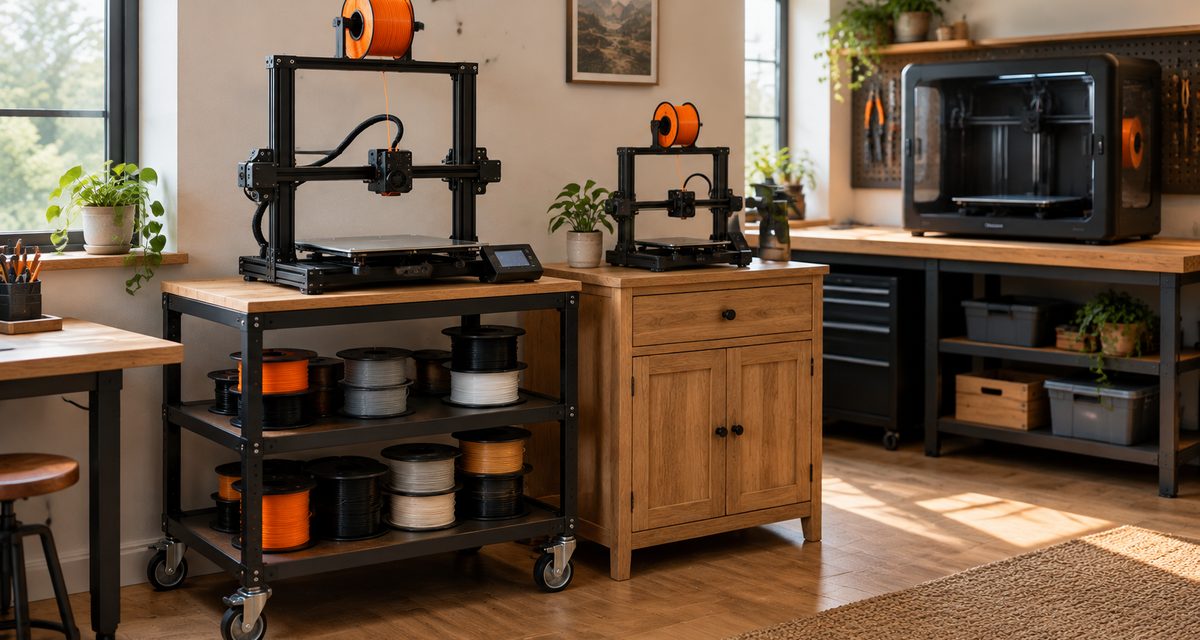
What a 3D printer sits on matters more than most people expect. A fast printer on a light, wobbly table shakes it, and that movement can show up in your prints. A good stand, table or cabinet gives the printer a solid base at a comfortable height and keeps filament and tools within reach. This guide compares six specific stands, tables and cabinets for different spaces and budgets, and explains how to check stability, weight capacity and fit before you buy.
Quick Answer
For one desktop printer, the Homieasy Heavy-Duty 3D Printer Rolling Cart is the best all-round 3D printer stand: a 23.6-inch-square top, a 280 lb rating, and both locking casters and leveling feet. For two printers or heavy gear, use a 2,000 lb WORKPRO 48-inch workbench; for large printers, pick the 24-inch-deep version. Whatever you buy, print with the stand on its feet, not its wheels.
Amazon buttons open Amazon.com search results for that exact product name in a new tab, not a single product page. Results can include other sizes, colors and similar items, so match the brand and model before you buy. Amazon affiliate links. As an Amazon Associate I earn from qualifying purchases.
TL;DR — Quick Summary
Best 3D Printer Stands, Tables and Cabinets — 2026 Picks
- 1🏆 Best overall stand: Homieasy Heavy-Duty 3D Printer Rolling Cart — 280 lb, casters and feet
- 2🏋️ Best heavy-duty table: WORKPRO 48" x 20" Adjustable Workbench — 2,000 lb, room for two printers
- 3🗄️ Best cabinet with storage: Seville Classics UltraHD 2-Door Rolling Cabinet — lockable doors, 300 lb
- 4💲 Best budget stand: VEVOR 3-Tier 3D Printer Stand — up to 60 spools, 260 lb on feet
- 5📐 Best for larger printers: WORKPRO 48" x 24" Garage Workbench — 24" deep, 2,000 lb
- 6📦 Best compact stand: RoleDec stand for A1 mini-size printers — 21.4" top, 220 lb
What is Ringing (Ghosting)?
Ringing (Ghosting) Faint repeated ripples on a print's surface just after sharp corners or edges. They come from vibration when the print head or bed changes direction quickly, and a printer on a wobbly surface is more prone to them.
🔥 Looking for an enclosure instead?
This guide covers what a printer sits on. If you need to surround the printer to hold in heat for ABS and ASA or cut drafts and noise, see our enclosure guide.
Stands, Tables and Cabinets Compared
Sizes and weight ratings below come from each maker's product page or Amazon listing, checked on November 19, 2026. Ratings are the maker's own figures, usually for a load spread evenly across the stand. We do not publish prices; the buttons open current Amazon listings.
Best overall 3D printer stand
Homieasy Heavy-Duty 3D Printer Rolling Cart
Top: 23.6" x 23.6"
Overall: 23.6" x 23.6" x 31.9" H
Rated capacity: 280 lb (whole stand)
Wheels / feet: Locking casters or leveling feet
Storage and power: Power outlet, adjustable middle shelf, spool storage rod
Read why we picked it →Best heavy-duty printer table
WORKPRO 48" x 20" Adjustable Workbench (2000 lb)
Top: 48" x 20"
Overall: 48" x 20" x 31.5–39.4" H
Rated capacity: 2,000 lb
Wheels / feet: Fixed legs
Storage and power: 4 AC + 2 USB power strip, five heights
Read why we picked it →Best printer cabinet with storage
Seville Classics UltraHD 2-Door Rolling Cabinet
Top: 28" W x 18" D (overall)
Overall: 28" x 18" x 34.5" H
Rated capacity: 300 lb (evenly distributed)
Wheels / feet: Four 5" wheels, two locking
Storage and power: Key-lock steel doors, adjustable shelf
Read why we picked it →Best budget 3D printer stand
VEVOR 3-Tier 3D Printer Stand with Filament Storage
Top: Not listed separately
Overall: 29.1" x 23.2" x 59.1" H
Rated capacity: 165 lb on wheels; 260 lb on feet
Wheels / feet: Braked wheels or adjustable feet
Storage and power: 2 AC + 2 USB, up to 60 spools
Read why we picked it →Best workbench for larger printers
WORKPRO 48" x 24" Adjustable Garage Workbench (2000 lb)
Top: 48" x 24"
Overall: 48" x 24" x 26.5–36.5" H
Rated capacity: 2,000 lb (evenly distributed)
Wheels / feet: Leveling feet
Storage and power: Pegboard legs, 4 AC + USB-A + USB-C
Read why we picked it →Best compact stand for small spaces
RoleDec Heavy Duty 3D Printer Stand for Bambu Lab A1 Mini
Top: 21.4" x 21.4"
Overall: 21.3" x 21.4" x 24" H
Rated capacity: 220 lb
Wheels / feet: Lockable casters or fixed feet
Storage and power: 2 AC + 2 USB, side tool bag
Read why we picked it →Vibration, Stability and Weight Capacity
Modern printers move fast. A bed-slinger such as the Bambu Lab A1 throws its whole heated bed back and forth, and even CoreXY printers with a fixed-position bed stop and change direction hard. All of that pushes on whatever the printer stands on. Printer makers say so directly: Prusa's knowledge base says the surface under a printer should be steady and firm and should not wobble during printing or if pushed by hand, and that the surface can amplify a printer's vibration and noise. Bambu Lab's troubleshooting wiki tells owners who see a "vibration is too great" error during the self-test to move the printer to the floor or a more stable desk.
Stiffness beats mass
Look for a welded or bolted steel frame, cross bracing or a back panel, and a thick top. A stand that racks sideways when you push its top corner will sway with the printer too.
Read the rating carefully
A rating can be for the whole stand, the top, or each shelf, and is usually for an evenly spread, still load. VEVOR's 3-tier stand shows how much mounting matters: 165 lb on wheels, 260 lb on feet.
Size for the moving parts
The top should be larger than the printer's footprint, with room for a moving bed, cables, a spool holder and an open door or lid. Feet near the edge make a printer easier to knock off.
Weight is rarely the limit. Desktop printers weigh less than most people think, so almost any stand built for a printer is rated far above the machine itself. The figures below, from Bambu Lab's official tech specs, show the range. The bigger question is whether the top is large and steady enough.
| Printer | Size (W x D x H) | Weight | Fits on |
|---|---|---|---|
| Bambu Lab A1 mini | 347 x 315 x 365 mm (13.7" x 12.4" x 14.4") | 5.5 kg (about 12 lb) | Any pick here, including the compact stand and cabinet |
| Bambu Lab A1 | 465 x 410 x 430 mm (18.3" x 16.1" x 16.9") | 8.3 kg (about 18 lb) | Overall pick, compact stand, budget rack; two side by side on a 48" table |
| Bambu Lab H2D | 492 x 514 x 626 mm (19.4" x 20.2" x 24.6") | 31 kg (about 68 lb) | A 24"-deep workbench, or the 23.6"-square overall pick |
"Fits" here means the footprint is smaller than the top. Always leave extra room for the parts that move or open, and check your own printer's dimensions before you order.
The Best 3D Printer Stands and Tables
Each pick below covers one situation. We have not tested these stands ourselves: the sizes and ratings come from each maker, and we point out where a maker's figures are limited or where a product will not suit some printers.
3D printer stand with power outlet
Homieasy Heavy-Duty 3D Printer Rolling Cart
Best for: One desktop printer at desk height, with supplies underneath. Rated capacity: 280 lb (whole stand).
Most people need a stand for one desktop printer that puts it at a comfortable height, keeps filament and tools underneath and does not wobble. Homieasy's Heavy-Duty 3D Printer Rolling Cart is built for exactly that. Homieasy lists a steel frame with thickened engineered-wood shelves, a 23.6-inch-square top and a 280 lb capacity, which leaves a wide margin over a desktop printer: Bambu Lab lists its large H2D at 31 kg (about 68 lb). The detail we like most is that it ships with both locking casters and leveling feet, so you can roll it into place and then stand it on feet for printing.
Maker's specifications
- Overall 23.6" x 23.6" x 31.9" H; 23.6"-square top
- Rated for 280 lb; steel frame with engineered-wood shelves
- Four locking swivel casters plus interchangeable leveling feet
- Homieasy's Amazon listing adds 2 AC outlets, 3 USB ports and room for 20+ 1 kg spools
Watch out for
- Homieasy gives one capacity for the whole stand, not per shelf, so keep the heaviest items low
- Open shelves keep spools tidy but not dry; damp-sensitive filament still needs a dry box
Amazon buttons open Amazon.com search results for that exact product name in a new tab, not a single product page. Results can include other sizes, colors and similar items, so match the brand and model before you buy. Amazon affiliate links. As an Amazon Associate I earn from qualifying purchases.
Details from the Homieasy product page and Homieasy's Amazon.com listing.
Heavy-duty adjustable table
WORKPRO 48" x 20" Adjustable Workbench (2000 lb)
Best for: Two mid-size printers side by side, or a heavy printer plus tools. Rated capacity: 2,000 lb.
If you run two printers, or one printer plus a dryer, tools and a laptop, a dedicated stand gets crowded fast. WORKPRO's 48-inch adjustable workbench is a simple steel table with a solid rubberwood top that WORKPRO rates at 2,000 lb, far beyond what any desktop printer weighs. At 48 inches wide it has room for two printers about the size of a Bambu Lab A1 (465 mm or 18.3 inches wide, per Bambu Lab) side by side. The top adjusts between 31.5 and 39.4 inches in five steps, so you can set it at seated or standing height.
Maker's specifications
- Overall 48" x 20-3/64" x 31.5"; height adjusts 31.5" to 39-3/8" in five steps
- 1-3/16"-thick solid rubberwood top on a steel frame
- Rated for 2,000 lb
- Power strip with 4 AC outlets and 2 USB-A ports
Watch out for
- The top is about 20 inches deep, slightly less than Bambu Lab's H2D (514 mm, about 20.2 inches); larger printers suit the 24-inch-deep pick below
- No shelves or spool storage underneath, so plan separate storage
Amazon buttons open Amazon.com search results for that exact product name in a new tab, not a single product page. Results can include other sizes, colors and similar items, so match the brand and model before you buy. Amazon affiliate links. As an Amazon Associate I earn from qualifying purchases.
Details from the WORKPRO product page (model W082054A).
Lockable rolling cabinet with wood top
Seville Classics UltraHD 2-Door Rolling Cabinet
Best for: A small or mid-size printer with closed, lockable storage underneath. Rated capacity: 300 lb (evenly distributed).
A cabinet under the printer hides spools, resin bottles, tools and spare parts behind doors, which keeps dust off them and keeps small hands out. Seville Classics' UltraHD 2-Door Rolling Cabinet is a steel cabinet with a 0.75-inch solid wood top and lockable stainless-steel doors, rated for 300 lb evenly distributed. Its 28 by 18 inch footprint suits compact and mid-size printers such as the Bambu Lab A1 mini (347 by 315 mm, per Bambu Lab). The push bar and 5-inch wheels make it easy to roll out for maintenance.
Maker's specifications
- Overall 28" W x 18" D x 34.5" H (21.1" deep including the push bar)
- Rated for 300 lb evenly distributed
- Powder-coated steel body, lockable stainless-steel double doors, 0.75" wood top
- One height-adjustable shelf; four 5" wheels, two of them locking
Watch out for
- This is storage under a printer, not a printer enclosure; it does not contain heat or fumes
- At 18 inches deep it is too shallow for large printers; check the printer's footprint first
Amazon buttons open Amazon.com search results for that exact product name in a new tab, not a single product page. Results can include other sizes, colors and similar items, so match the brand and model before you buy. Amazon affiliate links. As an Amazon Associate I earn from qualifying purchases.
Details from the Seville Classics UltraHD 2-Door Rolling Cabinet product page and Amazon.com listing.
Open rolling rack with filament storage
VEVOR 3-Tier 3D Printer Stand with Filament Storage
Best for: A printer plus a lot of filament on a tight budget. Rated capacity: 165 lb on wheels; 260 lb on feet.
When we checked Amazon.com listings on November 19, 2026, VEVOR's 3-tier stand cost less than any other pick in this guide (prices change, so check the current listing). It is an open steel-and-MDF rack rather than a table: the printer sits on one shelf, and VEVOR says the rack holds up to 60 spools. VEVOR is also unusually clear about how mounting affects capacity, rating it at 165 lb on its wheels and 260 lb when you swap them for the adjustable feet. That is the right way to set up any stand for printing.
Maker's specifications
- Overall 29.13" x 23.23" x 59.06–59.64" H
- Carbon steel frame with MDF shelves
- 165 lb on swivel wheels with brakes; 260 lb on adjustable feet
- VEVOR: up to 60 spools; shelf max 100 lb, material layer 80 lb; 2 AC outlets and 2 USB ports
Watch out for
- The listing says Shelf Only: no printer or spools are included
- A tall, open rack is less rigid than a low table; use the feet, not the wheels, while printing
Amazon buttons open Amazon.com search results for that exact product name in a new tab, not a single product page. Results can include other sizes, colors and similar items, so match the brand and model before you buy. Amazon affiliate links. As an Amazon Associate I earn from qualifying purchases.
Details from the VEVOR product page.
Deep adjustable workbench
WORKPRO 48" x 24" Adjustable Garage Workbench (2000 lb)
Best for: Large printers, enclosed CoreXY machines and a garage or shop. Rated capacity: 2,000 lb (evenly distributed).
Large printers need depth as much as width. WORKPRO's 48 by 24 inch garage workbench gives you a full 24 inches front to back, enough for a big machine such as Bambu Lab's H2D (492 by 514 mm, about 19.4 by 20.2 inches) with room to spare at the front. WORKPRO says it is tested to support 2,000 lb evenly distributed, it stands on leveling feet that compensate for uneven floors, and pegboard panels on both legs hold the scrapers, cutters and calipers you reach for during a print.
Maker's specifications
- 48" x 24" top, 1" engineered wood with a rubberwood surface
- Height adjusts 26.5" to 36.5" in six 2" steps
- Tested to 2,000 lb evenly distributed; four leveling feet
- Power strip with 4 AC outlets, 1 USB-A and 1 USB-C port; pegboard panels on both legs
Watch out for
- A big footprint: measure the space, including room to open a printer's door or lid
- No closed storage; pair it with a dry box or cabinet for filament
Amazon buttons open Amazon.com search results for that exact product name in a new tab, not a single product page. Results can include other sizes, colors and similar items, so match the brand and model before you buy. Amazon affiliate links. As an Amazon Associate I earn from qualifying purchases.
Details from the WORKPRO product page.
Compact low stand
RoleDec Heavy Duty 3D Printer Stand for Bambu Lab A1 Mini
Best for: A1 mini-size printers in a small room, dorm or classroom. Rated capacity: 220 lb.
In a small room you want a stand no bigger than the printer needs. RoleDec's compact stand has a 21.4-inch-square top, which its listing says suits small printers like the Bambu Lab A1 mini and FlashForge Adventurer 5M. That is comfortably larger than the A1 mini's 347 by 315 mm (13.7 by 12.4 inch) footprint, so there is room for the moving bed and cables. RoleDec rates the steel stand at 220 lb and includes both lockable casters and fixed feet, plus a small power strip and a side bag for tools.
Maker's specifications
- 21.4" x 21.4" top; listed size 21.3" x 21.4" x 24" H
- Steel frame rated for 220 lb
- Four lockable casters or fixed leveling feet
- Detachable strip with 2 AC outlets and 2 USB ports; side tool bag
Watch out for
- We found no separate RoleDec spec sheet; these details come from the brand's Amazon listing
- Sized for small printers; a large enclosed printer will not fit on the top
Amazon buttons open Amazon.com search results for that exact product name in a new tab, not a single product page. Results can include other sizes, colors and similar items, so match the brand and model before you buy. Amazon affiliate links. As an Amazon Associate I earn from qualifying purchases.
Details from the RoleDec's Amazon.com listing.
Buying Guide: How to Choose
Work through these in order. Most of the decision is measuring your printer and your space.
- 1Measure the printer, then add clearance: Take the printer's width and depth from the maker's spec sheet and add room for the moving bed, the spool holder or filament system, cables and an open door or lid. The top should be larger than that, not just equal to it.
- 2Decide how many machines it will hold: One printer fits a 2-foot-square stand. Two printers, or a printer plus a dryer and laptop, need a 4-foot table. Plan for the second printer many people end up buying.
- 3Check the weight rating the right way: Add the printer, anything that sits on it and everything on the shelves. Then check whether the maker's figure is for the whole stand, the top or each shelf, and whether it is lower on wheels.
- 4Choose feet, wheels or both: Rigid leveling feet are steadiest for printing. Casters make cleaning and maintenance easier. Stands that come with both, such as our overall and compact picks, give you the choice.
- 5Pick a working height: Around desk height is comfortable for loading filament and removing prints while seated or standing. Adjustable workbenches let you change it later; tall racks put the printer higher, so check which shelf it will sit on.
- 6Plan storage and power: Decide whether you want open shelves, drawers or lockable doors. If a stand has a power strip, check its rating covers everything you will plug in, and keep cords away from moving parts and hot surfaces.
Stand, table, cabinet or workbench?
| Type | Choose it if | Trade-off |
|---|---|---|
| 3D printer stand | You have one printer and want storage underneath in a small footprint | Limited top space for a second machine |
| Heavy-duty table | You run two printers or want a work area next to the printer | Takes more floor space; usually no storage |
| Cabinet | You want supplies hidden, dust-free or locked away | Smaller tops; not an enclosure |
| Workbench | You have a large printer, a garage or a shop | Big footprint; open underneath |
| Compact stand | Space is tight and the printer is small | Will not fit larger printers |
Setting Up a Stand for Printing
A good stand still needs setting up properly. These habits help whatever you buy:
- Print on feet, not wheels: If the stand has both, swap to feet once it is in place, or at least lock every caster.
- Level the stand: Adjust the feet until the top is level and the stand does not rock. A rocking stand moves with every bed movement.
- Keep heavy things low: Put spool boxes, dryers and tools on the lower shelves. A low center of gravity makes any stand steadier.
- Center the printer: Keep the printer's feet away from the edges of the top, and push the stand against a wall where possible.
- Mind heat and airflow: Leave space around the printer's vents, and keep paper, solvents and flammable clutter off the top.
And some things a stand will not fix:
- Loose printer parts: Ringing can also come from loose belts, screws or a worn bed. Check the printer before blaming the furniture.
- Bad first layers: A wobbly stand rarely causes adhesion problems; bed leveling, a dirty plate or settings usually do.
- Fumes: A stand or storage cabinet does not contain emissions. Use ventilation, or an enclosure designed for it.
Frequently Asked Questions
What is the best stand for a 3D printer?
For most single desktop printers, a purpose-built stand with a steel frame, a top a few inches larger than the printer and leveling feet is the best choice. The Homieasy Heavy-Duty 3D Printer Rolling Cart fits that description: a 23.6-inch-square top, a 280 lb rating and both locking casters and leveling feet.
How much weight does a 3D printer stand need to hold?
Add up the printer, anything on top of it such as a filament system, and everything you will store on the shelves, then choose a stand rated well above that total. Desktop printers are lighter than many people expect: Bambu Lab lists the A1 mini at 5.5 kg (about 12 lb) and the large H2D at 31 kg (about 68 lb). Check whether the rating is for the whole stand or per shelf, and whether it changes on wheels.
Can a wobbly table affect 3D print quality?
Yes. A fast-moving printer shakes a light or wobbly table, and that movement can show up as surface artifacts such as ringing. Prusa says the surface under a printer should be steady and firm and should not wobble during printing or if pushed by hand.
Is it better to put a 3D printer on wheels or feet?
Print on feet. Casters are useful for moving a stand to clean or reach the back of the printer, but a stand on rigid feet is steadier while printing. Some makers also rate their stands lower on wheels: VEVOR rates its 3-tier stand at 165 lb on wheels and 260 lb on feet.
Can I use an IKEA table or regular desk for a 3D printer?
You can, as long as it is solid and does not wobble when you push it. Light tables with thin legs tend to sway with fast bed-slinger printers, and sharing a desk means the printer's vibration and noise reach your keyboard and monitor. A dedicated stand or heavy table avoids both.
Is a 3D printer cabinet the same as an enclosure?
No. A cabinet sits under the printer and stores supplies behind doors or in drawers. An enclosure surrounds the printer itself to hold in heat for materials like ABS and ASA, cut drafts and reduce noise. Some products combine both, but a storage cabinet alone does not enclose the printer.
Can I store filament on an open printer stand?
Open shelves keep spools organized, but they do not protect filament from humidity. Moisture-sensitive materials such as nylon, TPU and PETG are better kept in a sealed container with desiccant, or a filament dryer, especially if the stand is in a damp garage or basement.
The Bottom Line
For one desktop printer, the Homieasy Heavy-Duty 3D Printer Rolling Cart gets the basics right: a steady steel frame, a top with room around the printer, storage underneath, and feet as well as wheels. If you have two printers or a large one, skip stands and buy a table: WORKPRO's 2,000 lb workbenches, in 20-inch or 24-inch depths, give you far more room and rigidity.
Choose the Seville Classics cabinet if you want supplies locked away, the VEVOR rack if you need the most filament storage for the money, and the RoleDec stand if space is tight and the printer is small. Whatever you choose, level it, load it low, and print on its feet.
Start Here
A stand for one printer, or a deep workbench for a large one.
Amazon buttons open Amazon.com search results for that exact product name in a new tab, not a single product page. Results can include other sizes, colors and similar items, so match the brand and model before you buy. Amazon affiliate links. As an Amazon Associate I earn from qualifying purchases.
How We Chose These Stands
We started from the situations people actually buy printer furniture for: one desktop printer, two printers, closed storage, a tight budget, a large printer and a small room. For each one we chose a specific product whose maker publishes its size and weight rating, preferring brands with their own product pages, and on November 19, 2026 we checked that an Amazon.com search for its exact name returned that product as the first result.
Sizes and ratings quoted here come from the manufacturers, not from our own testing. Where a brand does not publish a separate spec sheet, we say the figures come from its Amazon listing. We do not claim to have tested these products, and we do not publish prices or star ratings.
Affiliate Disclosure: This post contains affiliate links. If you purchase through these links, we may earn a small commission at no extra cost to you. We only recommend products we stand behind. See our full disclosure for details.
As an Amazon Associate I earn from qualifying purchases.