Best 3D Printer for Beginners (2025): A Practical Buying Guide
By Chris Avery, Publisher / Editor
If you're trying to pick your first 3D printer, you're probably drowning in spec sheets, Reddit arguments, and YouTube videos from people who own 15 printers and have lost all perspective on what a beginner actually needs. This guide is the shortcut that cuts through the noise.
Quick Answer — If You Just Want the Best Pick
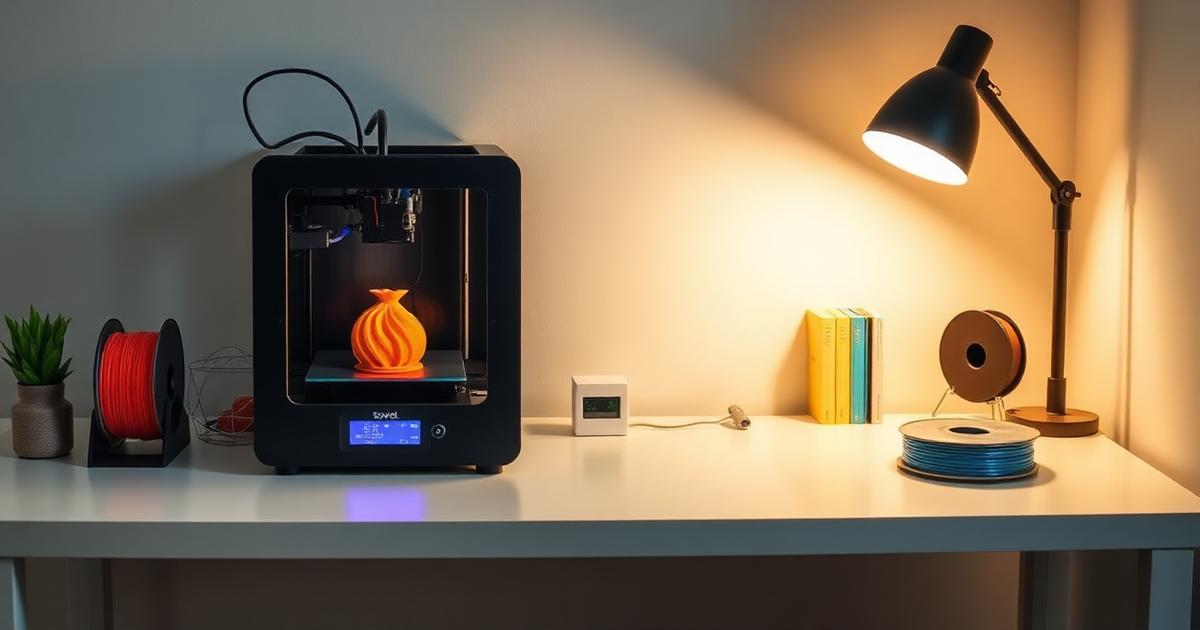
The Sovol SV06 is the best 3D printer for beginners in 2025. Auto bed leveling, PEI build plate, direct drive extruder, all-metal hotend it has features that used to cost $500+. It prints beautifully out of the box with zero tinkering.
Check Price on Sovol →TL;DR — Quick Summary
Best 3D Printers for Beginners — 2025 Picks
- 1🏆 Best Overall: Sovol SV06 — unbeatable value with pro features
- 2💰 Best Budget: Sovol SV06 Plus — bigger build volume for slightly more
- 3⚡ Best Upgrade: Sovol SV07 — speed demon for those who want fast prints
- 4🎯 Key Insight: Don't overthink specs — reliability and ease of use matter most
- 5🧵 Starter Filament: Polymaker PolyTerra PLA — consistent quality, great colors
What is FDM 3D Printing?
FDM 3D Printing Fused Deposition Modeling — the most common type of 3D printing where melted plastic filament is deposited layer by layer to build objects. It's the technology behind virtually every beginner-friendly printer on the market.
📖 Complete 3D Printers Buyer's Guide
Want the full breakdown of every printer category? Our comprehensive guide covers everything from budget to prosumer machines.
What Actually Matters for Beginners?
Here's something nobody tells you when you're shopping for your first 3D printer: most of the specs on comparison charts don't matter for beginners. Maximum print speed? You won't push it for months. Build volume? You'll print phone stands and cable clips for the first three months anyway.
What actually matters is whether you'll still be using the printer in three months — or if it'll end up in a closet because you got frustrated with bed leveling at 11 PM on a Tuesday.
Ease of Setup
Can you go from box to first print in under an hour? If assembly takes all day and requires watching 6 YouTube tutorials, that's a red flag. The SV06 takes about 20 minutes.
Reliability
Does it just... work? Beginners don't want to debug hardware. They want to download a model, hit print, and come back to a finished object. Auto bed leveling is non-negotiable here.
Print Quality
You want prints you're proud to show people. Layer lines that aren't horrifying. Details that actually look like details. Budget printers have gotten shockingly good at this.
Community & Support
When something goes wrong (it will, eventually), can you find answers? A printer with an active community means your questions get answered in hours, not days.
Top Picks (Real Recommendations)
Rather than list ten printers and leave the decision unclear, here are three options — with guidance on which one fits which situation.
Sovol SV06 — The Top Pick for Beginners
For beginners, this is the printer to start with. Not because it's perfect — nothing is — but because it removes nearly every frustration that makes beginners quit the hobby.
Why It Stands Out
- Auto bed leveling — never manually level again
- PEI spring steel sheet — prints pop off when cool, stick when hot
- Direct drive extruder — handles PLA, PETG, and even TPU
- All-metal hotend — no PTFE tube to replace every few months
- ~20 min assembly — seriously, it's that easy
Real-World Performance
Out of the box, the SV06 prints PLA at a quality level that surprises people, often mistaken for output from printers costing three times as much. The auto bed leveling actually works (unlike some cheaper probes), and the PEI sheet means there's no need to mess with glue sticks or hairspray.
Where it's not perfect: it's not fast. If you're coming from watching videos of Bambu Lab speed demons, the SV06 will feel slow. But for a beginner? Slow and reliable beats fast and finicky every time.
Sovol SV06 Plus — More Space, Same Reliability
Think of the SV06 Plus as the SV06's bigger sibling. Same great features — auto leveling, PEI sheet, direct drive — but with a larger 300×300×340mm build volume. If you think you might want to print bigger projects (helmets, cosplay parts, large vases), spending a bit more now saves you from wanting to upgrade in 6 months.
Who Should Pick This Over the SV06?
- You're interested in cosplay or large functional prints
- You have desk space for a slightly larger machine
- You'd rather buy once and not wish for a bigger printer later
Sovol SV07 — For Beginners Who Want Speed
The SV07 runs Klipper firmware out of the box, which means genuinely fast print speeds without sacrificing quality. It's a step up in price, but if you already know you're going to be printing a lot of stuff, the time savings add up fast.
Fair warning: Klipper has a slightly steeper learning curve than standard Marlin firmware. But Sovol's implementation makes it pretty painless, and the speed boost is real — what takes 4 hours on the SV06 might take 2 hours on the SV07.
🎯 Best 3D Printers Under $300 for Beginners
Want a deeper dive into the budget category? Check out our full breakdown of every solid option under $300.
What Beginners Often Overlook Before Buying
These are the details many first-time buyers overlook — worth knowing before you buy.
Your First Print Will Probably Fail
And that's completely normal. The test file on the SD card? It's been tuned to work perfectly. Your first real print from Thingiverse? Maybe not. Don't panic. It's a learning curve, and the curve flattens fast.
Filament Quality Matters More Than You Think
That dirt-cheap filament on a no-name listing? It'll clog your nozzle, string everywhere, and make you think your printer is broken. Spend a couple bucks more on decent filament from Polymaker and you'll save yourself hours of debugging.
Slicer Settings Are 80% of the Battle
Your printer is only as good as its instructions. Cura and PrusaSlicer are both free, and learning the basics (layer height, infill, supports) will improve your prints more than any hardware upgrade.
You Don't Need an Enclosure (Yet)
For PLA printing — which is all you'll do for the first few months — an enclosure is unnecessary. Put that money toward extra filament colors instead. You'll know when you need an enclosure because you'll be ready to try ABS or ASA.
Ready to Start Printing?
The Sovol SV06 is the easiest way to get into 3D printing without the headaches.
Get the Sovol SV06 →Setup Reality — What It's Actually Like
Every product page says "easy assembly." Here's what that actually looks like with the SV06.
Assembly (Genuinely Easy)
The SV06 arrives partially assembled. You're basically bolting the upright frame to the base, connecting a few cables, and mounting the screen. Total time: about 20 minutes. The instructions are decent, and there's only one part where you might second-guess yourself (the cable routing), but it's hard to actually mess up.
Compare that to older printers where assembly was a 3-hour ordeal involving crimped wires and questionable translations. We've come a long way.
The Learning Curve (Shorter Than You Think)
Day 1: Print the test file. Feel incredible. Day 2: Try something from Thingiverse. Maybe it works, maybe the supports are weird. Day 3-7: Start learning slicer basics — layer height, infill, temperatures. By week two, you'll be printing with confidence.
The biggest hurdle isn't the printer — it's learning the slicer software. But even that takes maybe a couple of evenings of experimenting before things click.
First Print Expectations
The included test print (usually a cat or a boat) will come out great. Your first own print will probably be decent but not perfect. By your fifth print, you'll be dialing things in. By your twentieth, you'll be the person friends come to when they need something 3D printed.
📝 Full Sovol SV06 Review After 30 Days
A detailed report covering everything from unboxing to month-end results.
Common Beginner Problems (And Quick Fixes)
You will run into problems. Everyone does. Here are the most common ones and how to fix them without losing your mind.
First Layer Not Sticking
The fix: Clean your PEI sheet with isopropyl alcohol. Seriously, that's it 90% of the time. Finger oils from touching the bed are the #1 culprit. If that doesn't work, your Z-offset might need a tiny adjustment — lower it by 0.05mm at a time until the first layer squishes slightly.
→ Full first layer troubleshooting guideStringing Between Parts
The fix: Increase retraction distance slightly (try 1mm increments on the SV06's direct drive). Also check if your filament is dry — wet PLA strings like crazy. When in doubt, dry your filament for a few hours and try again.
Print Warping or Lifting
The fix: Make sure your bed temperature is right (60°C for PLA is standard). If it keeps happening on large prints, a thin layer of glue stick on the PEI sheet gives extra insurance. Also make sure there's no draft hitting the printer.
→ Best bed adhesives for 3D printingUnder-Extrusion (Thin, Weak Walls)
The fix: Usually means a partial clog or your nozzle is too far from the bed. Try a cold pull to clear the nozzle, and double-check your Z-offset. Also verify your filament diameter is set to 1.75mm in your slicer (it should be by default, but check).
🔧 Why Your First Layer Sucks (And How To Fix It)
The complete troubleshooting guide for first layer issues — the most common beginner problem.
What Else You Need (Don't Skip This)
Your printer doesn't come with everything you need. Here's what to grab before (or right after) you start printing — future you will thank present you.
Filament (Obviously)
Your printer might come with a small sample, but it won't last long. Grab a few rolls of PLA from Polymaker — their PolyTerra PLA is a strong recommendation for beginners. Consistent diameter, prints beautifully, and the matte finish hides layer lines.
Browse Polymaker Filaments →Basic Tools
Flush cutters for removing supports (the printer tools are okay, real flush cutters are better). A set of needle-nose pliers. Isopropyl alcohol and a microfiber cloth for cleaning the bed. A small spatula or scraper for stubborn prints. Most of these cost a few bucks each.
Filament Storage
PLA absorbs moisture from the air, which leads to popping, stringing, and rough surfaces. Even a basic airtight container with silica gel packets makes a huge difference. Vacuum-sealed bags work too if you're on a tight budget.
→ Best filament storage optionsSlicer Software (Free)
Download Cura or PrusaSlicer — both are free and excellent. Cura is slightly more beginner-friendly. PrusaSlicer has better defaults for most printers. Pick either one and learn it well before switching.
🧵 Complete Filament Guide — Every Material Explained
PLA, PETG, ABS, TPU — what they are, when to use them, and which brands to trust.
💨 Best Filament Dryers for 2025
When you're ready to step up your filament game, a dryer is one of the best investments you can make.
The Bottom Line
For anyone starting fresh, a sensible starting point is a Sovol SV06 and two rolls of Polymaker PolyTerra PLA. Total investment under $300.
The SV06 won't win speed races. It's not the flashiest printer on the market. But it does the one thing that matters most for beginners: it works consistently without making you fight it. Auto bed leveling that actually works. A PEI sheet that releases prints cleanly. A direct drive system that handles multiple filament types. And a price that doesn't make you wince.
If you want a bigger build area, get the SV06 Plus. If you want speed, get the SV07. But for beginners who just want it to work, the standard SV06 is the one.
Start Your 3D Printing Journey
The Sovol SV06 — a strong recommendation for every beginner.
Frequently Asked Questions
What is the best 3D printer for a complete beginner in 2025?
The Sovol SV06 is the best 3D printer for beginners in 2025. It has auto bed leveling, a PEI build plate, direct drive extruder, and an all-metal hotend — features that used to cost twice as much. Assembly takes about 20 minutes and it prints great with default settings.
How much should a beginner spend on a 3D printer?
Between $200 and $350 is the sweet spot. Below $200 you sacrifice important features like auto bed leveling. Above $350 you're paying for features most beginners won't use in their first year. The Sovol SV06 hits this range perfectly.
Is 3D printing hard to learn for beginners?
Not with the right printer. Modern beginner printers handle the hard stuff automatically — bed leveling, temperature management, and filament feeding. You'll spend more time learning slicer software than fighting the printer. Most people get a successful first print within an hour of setup.
What filament should beginners start with?
PLA is the best filament for beginners. It prints at lower temperatures, doesn't warp easily, doesn't need a heated enclosure, and produces minimal odor. Polymaker PolyTerra PLA is an excellent starter filament with consistent quality and great colors.
Do I need an enclosure for my first 3D printer?
No. If you're printing PLA (which you should be as a beginner), you don't need an enclosure. Enclosures are mainly needed for ABS, ASA, and nylon — materials you won't touch for months. Save that money for extra filament instead.
Affiliate Disclosure: This post contains affiliate links. If you purchase through these links, we may earn a small commission at no extra cost to you. We only recommend products we stand behind. See our full disclosure for details.