Last Updated: September 16, 2026
Best 3D Printers for Beginners Under $300: Sovol ACE Guide
By Chris Avery, Publisher / Editor
Two current Sovol options worth comparing for beginners shopping around the $300 ceiling — plus what actually matters when you buy your first machine.
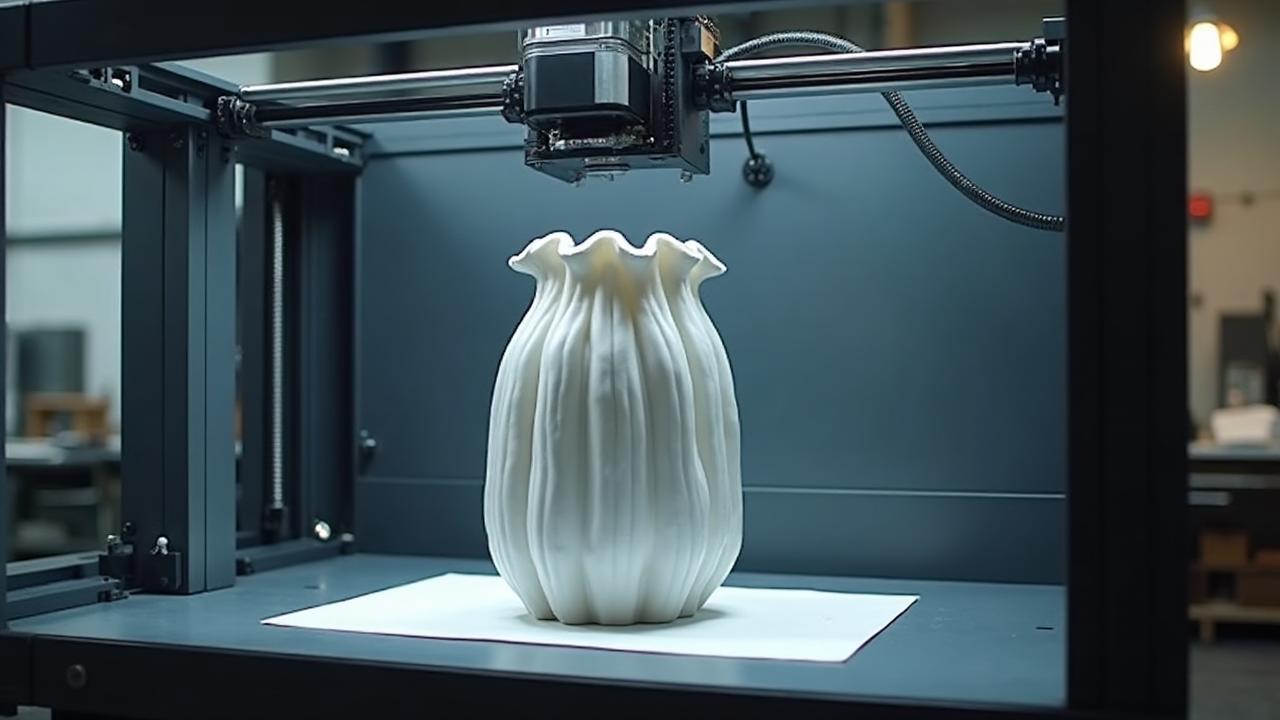
About the $300 ceiling: this guide focuses on printers that were available below $300 at Sovol when the page was last verified. Printer pricing and promotions change often, so always check the current price on the merchant's own page before buying. No prices are quoted in this article for that reason.
Quick Answer:
Sovol's current entry-level machines are the SV06 ACE and the SV06 Plus ACE, the ACE generation being the successor to the original SV06 family. The SV06 ACE suits a beginner who wants the more compact current machine and a smaller desk footprint. The SV06 Plus ACE suits someone who specifically needs the larger format and whose current price still fits a roughly $300 budget. This page is not a test of every sub-$300 printer on the market — it compares two current options and explains the features a first-time buyer should weigh.
Why the ACE generation, not the original SV06
Earlier versions of this guide recommended the original Sovol SV06 and SV06 Plus. Sovol's current printer collection lists the SV06 ACE and SV06 Plus ACE instead, and Sovol describes the ACE generation as the evolution of the SV06 family. The original models remain worth knowing about as context — plenty are still in use, and the family's direct drive, auto-levelling approach carried forward — but a first-time buyer shopping today should be looking at the current ACE machines rather than the superseded originals.
Sovol also publishes ACE-specific firmware downloads, OrcaSlicer configuration resources and model-specific replacement parts — extruder components, nozzles, heated-bed parts and electronics — which is a reasonable signal that these are actively supported current models. That is a statement about what exists today, not a guarantee about how long support will continue.
What is Auto Bed Leveling?
Auto Bed Leveling is an automated calibration routine in which a probe measures the distance between nozzle and bed at multiple points, and the printer compensates for any unevenness while printing.
It removes the manual levelling step that causes most first-layer trouble for new users. You still normally set a Z-offset once, but you are not chasing four corner screws before every print.
Comparing the two current options
Only specifications that can be confirmed from Sovol's own product information are stated below. Anything not verified is marked so you can check it yourself before ordering.
| Model | Best Fit | Build Volume | Motion / Extruder | Calibration | Materials | Space | Key Tradeoff |
|---|---|---|---|---|---|---|---|
| Sovol SV06 ACE | A compact, current first printer | Compact SV06-class format — verify exact figures with Sovol | Cartesian open frame, direct drive extruder | Automatic bed levelling | PLA and PETG for beginners; verify the full list with Sovol | Smaller desk footprint, open frame | Less room for single-piece large prints |
| Sovol SV06 Plus ACE | Larger-format projects in the same family | Larger Plus-class format — verify exact figures with Sovol | Cartesian open frame, direct drive extruder | Automatic bed levelling | PLA and PETG for beginners; verify the full list with Sovol | Needs more desk depth and height | Bigger machine and usually a higher price for capacity you may not need |
Exact build volumes, maximum speeds and temperature limits change between product revisions. Confirm them on the Sovol product page for the specific model you are buying rather than relying on figures quoted in any article.
Which one should you choose?
Choose the SV06 ACE if
Choose the SV06 Plus ACE if
If neither case is obviously yours, the smaller machine is the safer first purchase. Large-format printing is easy to add later; a printer that does not fit your desk is a daily annoyance.
Complete 3D Printer Buying Guide
New to 3D printing? Read our comprehensive guide covering everything from printer types to advanced features.
What actually matters on a first printer
Worth insisting on
Automatic bed levelling
First-layer problems are the most common reason new users struggle. Automatic levelling removes the most error-prone manual step.
Heated bed and a removable flexible plate
A heated bed is needed for adhesion; a removable spring steel plate means you flex prints off rather than prying at them with a blade.
A build volume that suits your projects
Around 200 to 220mm per side covers most beginner work. Go bigger only for a reason you can name.
Documented slicer profiles and parts supply
Published profiles mean you are not guessing at settings, and model-specific spare parts mean a broken nozzle or extruder arm is a small repair rather than the end of the machine.
Useful, but not decisive
Direct drive extruder
It handles flexible filament far better than a Bowden setup and generally makes retraction tuning simpler. For PLA alone, either arrangement works. Both ACE models use direct drive.
Filament runout sensor and power-loss resume
Both save the occasional long print. Confirm which features your specific model includes on the product page.
High advertised print speed
Maximum speed figures are rarely what you print at while learning. Quality at moderate speed matters more in your first months.
Skip for now
Multi-material systems
They add cost, waste and complexity before you have the single-colour basics down.
Enclosures and exotic materials
Enclosures matter for ABS and ASA, which also need ventilation. PLA and PETG in an open frame are the sensible starting point.
Setup, workspace and noise
Assembly
Machines in this class ship largely pre-assembled: you typically mount the gantry, connect a small number of keyed cables, fit the spool holder and run the on-screen setup. Follow the manual that comes with your unit rather than a generic guide, and check that shipping has not loosened any frame screws before the first print.
Desk and workspace
Allow clearance behind and above the printer for the bed to travel and for the spool. A solid, level surface reduces vibration artefacts; a flexing desk does not. If the printer shares a room where you sleep or work, plan for that before you buy — open-frame machines are audible, and published decibel figures for these specific models are not something this guide can confirm.
Software
OrcaSlicer, PrusaSlicer and Cura are all free. Sovol publishes OrcaSlicer configuration resources for the SV06 ACE, which is the shortest path to a working profile. Start from the supplied profile and change one setting at a time.
Ventilation
PLA and PETG are usually printed in a normally ventilated room. ABS and ASA produce a noticeable odour and should be printed in a well-ventilated space, ideally enclosed and vented — another reason to stay with PLA while you learn.
Beginner's Filament Guide
Learn which filaments to start with and how to get the best results from your first rolls.
Beginner mistakes worth avoiding
Skipping the supplied test print
The bundled test file verifies that the machine, filament and first layer are all behaving. If you jump straight to a complex model and it fails, you cannot tell whether the file, the settings or the printer is at fault.
Starting with unknown filament
Inconsistent diameter and damp spools cause failures that look like printer faults. Begin with a known PLA and keep it sealed between sessions.
Changing many slicer settings at once
Change one variable, print, evaluate, then change the next. Manufacturer or slicer default profiles are a reasonable baseline.
Upgrading before you understand the machine
Hotend and firmware modifications introduce new failure modes. Print for a few months, find a real limitation, then address that specific limitation.
Budgeting beyond the printer
The printer is not the whole cost. Plan for filament beyond the short sample length that usually comes in the box, a glue stick or isopropyl alcohol for bed preparation, and basic hand tools if your kit does not include them. Extra filament colours and a dry box are sensible later purchases rather than day-one ones. Because component and filament pricing moves constantly, check current prices rather than relying on figures quoted in any guide.
How to Evaluate 3D Printing Deals
Judge a filament bundle on delivered cost per kilogram before ordering.
Buying Filament in Bulk
How bulk purchasing changes cost per roll on quality filament brands.
Frequently asked questions
Is a 3D printer under $300 good enough for a beginner?
Yes. Printers in this range routinely include automatic bed leveling, a heated bed, a direct drive extruder and a removable spring steel plate, which covers everything a first-time user needs to print PLA and PETG reliably. Spending more mainly buys enclosure, speed, multi-colour capability or a larger frame rather than better fundamentals for learning.
Is the Sovol SV06 ACE beginner-friendly?
The SV06 ACE is Sovol's current version of the compact SV06 family. It ships largely pre-assembled, uses a direct drive extruder, and Sovol publishes firmware downloads and OrcaSlicer profiles for it, so the slicer setup step is documented rather than something you have to work out yourself. Confirm the exact feature list on Sovol's product page before buying, because specifications can be revised between production runs.
When would the SV06 Plus ACE make more sense?
Choose the Plus ACE when your projects genuinely need the larger format — helmet sections, large cosplay parts, big functional brackets — and you have the desk depth and height for a bigger open-frame machine. If most of what you print fits inside a roughly 220mm cube, the extra frame size adds footprint without adding capability you will use.
How much build volume does a beginner actually need?
Most beginner projects — organisers, brackets, toys, miniatures, phone stands — fit comfortably inside a 200 to 220mm cube. Larger volumes are useful for single-piece large prints, but almost any large model can also be split and glued, so build volume is a convenience factor rather than a requirement for learning.
Do current prices stay below $300?
Not permanently. Printer pricing moves with promotions, shipping costs and stock, so a model that sits under $300 one month can sit above it the next. Treat the $300 figure in this guide as a shopping target and check the current price on the merchant's own page before ordering.
What else does a beginner need besides the printer?
Budget for at least one spool of quality PLA, a glue stick or isopropyl alcohol for bed preparation, flush cutters and a scraper. Most printers include a basic tool kit and a sample length of filament, but not enough filament for real projects. A filament dry box only becomes useful later, or sooner in a humid climate.
Is an enclosure necessary?
Not for PLA or PETG, which are the materials most beginners use. An enclosure matters for ABS and ASA, which warp in a draught and should be printed in a ventilated space. Starting open-frame and adding an enclosure later if you move to those materials is the normal path.
Ready to compare current models?
The SV06 ACE and SV06 Plus ACE are Sovol's current entry-level machines. Check the live listings for build volume, included features and the price at the moment you buy.
Looking at faster machines?
A specification-based look at what high-speed printing actually requires at home.
Final thoughts
A first printer does not need to be the fastest or the largest. It needs to level itself, hold a first layer, have parts you can replace and profiles you can start from. Both current ACE models meet that description; the choice between them comes down to how much desk space you have and whether you genuinely need the larger format.
Verify build volume, feature list and current price on Sovol's product pages before ordering — those details change, and this guide deliberately does not fix them in print.