Best Filament for Beginners (3D Printing Made Easy)
By Chris Avery, Publisher / Editor
Choosing your first filament doesn't have to be complicated. Here's what actually works, without wasting money figuring it out the hard way.
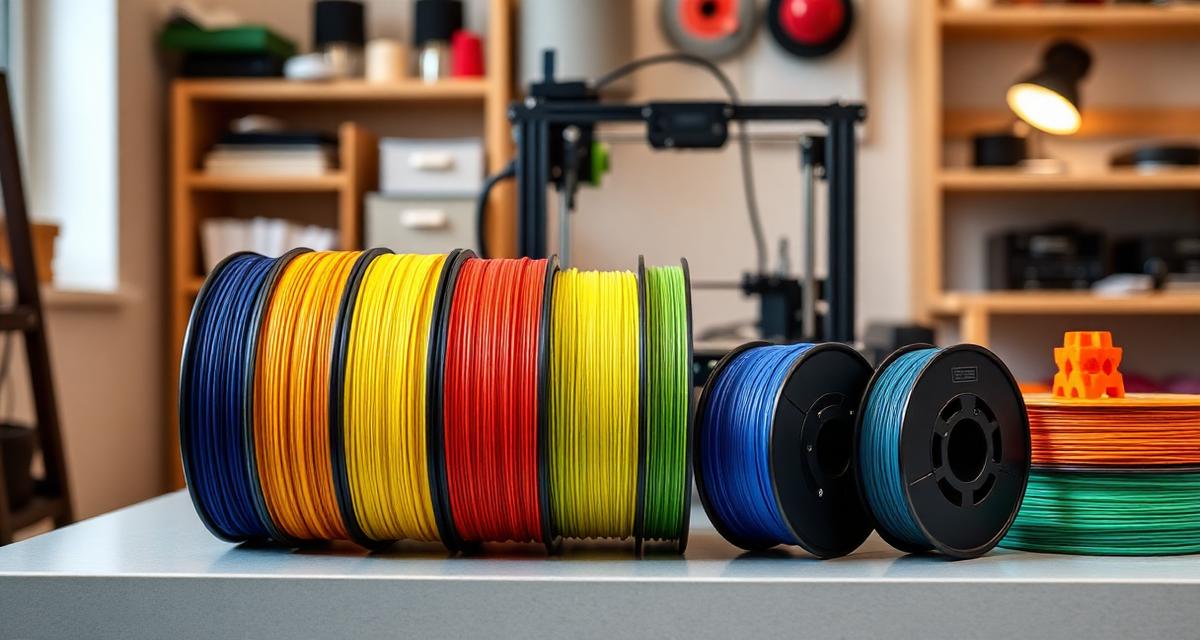
Filament is often the most confusing part of getting into 3D printing. PLA, PETG, ABS, TPU — it can feel like learning a new language. Hours of forum reading and YouTube comparisons can still lead to buying the wrong stuff. A no-name spool from Amazon commonly clogs a hotend within the first couple of prints.
The short version is simple: "Start with PLA. Get a good brand. Don't overthink it." That's basically what this guide is. The best filament for beginners in 3D printing is simpler than it seems — here's exactly what to buy and why.
If you're new to 3D printing, start here first: Best 3D Printer for Beginners (2025) — it'll help you pick the right printer before worrying about filament.
Quick Answer
The best filament for beginners is PLA — specifically Polymaker PolyTerra PLA. It's easy to print, affordable, and works on every beginner printer without special settings. If you're on a tight budget, eSUN PLA+ is a solid alternative that punches above its price.
TL;DR — Quick Summary
Best Filament for Beginners at a Glance
- 1Best Overall: Polymaker PolyTerra PLA
- 2Best Budget: eSUN PLA+
- 3Best Premium: Polymaker PolyLite PLA
- 4Start With: PLA — easiest material by far
- 5Avoid: No-name Amazon brands and ABS
What is PLA (Polylactic Acid)?
PLA (Polylactic Acid) The most beginner-friendly 3D printing filament. Made from plant-based materials, PLA prints at low temperatures (190-220°C), doesn't warp much, and works on virtually every FDM 3D printer without needing an enclosure or special bed surface.
Why Filament Choice Matters More Than You Think
Most beginners obsess over which printer to buy (and that matters too), but filament is the thing that actually touches your print. Bad filament will make even a great printer produce terrible results. Here's what's actually at stake:
- Print quality: Consistent filament = smooth layers and clean details. Cheap filament = blobs, strings, and rough surfaces.
- Ease of use: Good filament just works with default settings. Bad filament needs hours of tuning you shouldn't have to do as a beginner.
- Success rate: The #1 reason beginners quit is failed prints. Good filament dramatically reduces failures right from the start.
Bad filament often gets blamed on the printer instead. If you get this one decision right, everything else gets easier.
The Best Filament for Beginners (Simple Answer)
If you don't want to read the whole article, here it is: start with PLA. That's it. Don't let anyone talk you into PETG, ABS, or TPU for your first prints. Those materials have their place, but they're not where you should begin.
PLA is the training wheels of 3D printing — except these training wheels actually produce great results. Professional makers still use PLA daily. It's not a "beginner only" material; it's a "best starting point" material.
Here's why PLA wins for beginners:
- ✅ Prints at lower temperatures (no risk of burning yourself or damaging cheap printers)
- ✅ Almost zero warping (your prints actually stick to the bed and stay flat)
- ✅ Works on every FDM printer out of the box
- ✅ No enclosure needed
- ✅ Looks great with minimal effort
- ✅ Affordable — the cheapest mainstream filament type
If you want the full breakdown of every filament type and when to use them, check out my complete filament types guide. But for now, PLA is your answer.
Why PLA Is the Best Starting Point
Let me get specific about why PLA makes everything easier when you're just starting out.
Low Temperature = Less Can Go Wrong
PLA prints between 190-220°C at the nozzle and 50-60°C on the bed. Compare that to ABS which needs 230-250°C and a 100°C bed. Lower temps mean fewer clogs, less oozing, and your printer components last longer. It's genuinely more forgiving of mistakes.
Minimal Warping = Prints That Actually Succeed
Warping is when corners of your print lift off the bed and curl up. It ruins prints and frustrates beginners more than anything. PLA barely warps at all. Large, flat parts print in PLA without any adhesive and come out well. Try that with ABS and you'll be pulling your hair out.
Beginner-Friendly Settings
Most slicers come with PLA profiles that work out of the box. You don't need to spend hours tuning retraction, flow rate, or cooling. Load filament, slice your model, press print. That's it. If you're running into issues with your prints looking rough, my rough prints troubleshooting guide covers the most common fixes.
Common Beginner Filament Lessons
Here are common lessons that save weeks of frustration:
Not All PLA Is Created Equal
It's easy to assume PLA is PLA — same material, different label. That's not the case. The difference between a good PLA brand and a random Amazon spool is night and day. Good PLA has tight diameter tolerance (±0.02mm), consistent color, and smooth extrusion. Cheap PLA varies wildly, causing under-extrusion one layer and over-extrusion the next.
Cheap Filament Costs More in the Long Run
A multi-pack of budget filament can seem like a deal, but inconsistent spools often cause clogs that take hours to clear and waste filament on failed prints. Spending a bit more on one reliable spool typically saves both time and money.
Settings Actually Matter
Even with good filament, printing at the wrong temperature will give you bad results. Every brand has a sweet spot. The best approach? Start with the manufacturer's recommended temperature and do one test print. If it looks good, you're done. If you're having first layer issues, it's usually a bed leveling problem, not a filament problem.
Best 3D Printer for Beginners (2025)
The ultimate beginner guide — our #1 money page
3D Printer Filament Types and Uses Guide
Complete guide to every filament type with properties and uses
Best 3D Printer for Beginners (2025)
The ultimate beginner guide — our #1 money page
Best Beginner Filament Options (Real Picks)
These are the filament options most often recommended to beginners — based on what performs well.
Best Overall Beginner Filament — Polymaker PolyTerra PLA
This is the option most often recommended to beginners first. PolyTerra PLA prints consistently, comes in beautiful matte colors, and the spool is made from recycled cardboard (nice bonus). It just works. Temperature sweet spot is around 200-210°C, and it prints well even if you're slightly off.
The dimensional accuracy is ±0.02mm, which helps avoid random clogs and inconsistent layers.
Best Budget Option — eSUN PLA+
If you're trying to spend as little as possible without getting burned, eSUN PLA+ is the sweet spot. It's priced lower than premium brands and honestly prints better than filaments costing twice as much. The "plus" designation means it's slightly tougher than standard PLA, which is a nice bonus for functional parts.
The only downside? The color range isn't as wide as Polymaker, and the spools occasionally have loose winding. But for the value, it's hard to beat. If you want more budget-friendly options, there's a full budget PLA filament roundup.
Best Premium Option — Polymaker PolyLite PLA
If you want the best print quality and don't mind paying above budget-spool prices, PolyLite PLA is it. The surface finish is noticeably smoother than PolyTerra, and it handles fine details and overhangs slightly better. This is a strong choice for display pieces and gifts.
For a deeper comparison of these two Polymaker filaments, check out my best PLA filament review.
Cheap vs Quality Filament (Beginner Perspective)
Let me be real with you: cheap filament is the single biggest waste of money in 3D printing for beginners. Here's what actually happens when you buy the cheapest spool on Amazon:
- Inconsistent diameter — the filament is 1.75mm in some spots and 1.80mm in others. Your printer can't compensate for that.
- Poor moisture control — it arrives already slightly wet, causing popping sounds and rough textures.
- Tangled spools — the filament gets knotted underneath itself, causing mid-print failures that ruin hours of work.
- Clogged nozzles — impurities in the filament block your hotend. Clearing a clog as a beginner? Not fun.
A good spool of PLA typically costs only modestly more than a cheap one — a small difference that saves hours of troubleshooting and wasted prints. For beginners, quality filament isn't a luxury — it's the cheapest insurance policy you can buy.
Recommended Beginner Setup
For anyone asking what to buy to start 3D printing, here's a solid answer:
The "Skip the Frustration" Starter Setup
- Printer: Sovol SV06 or SV07 — reliable, auto-levels, great community support
- Filament: Polymaker PolyTerra PLA (any color you like)
- Settings: 205°C nozzle, 55°C bed, 50mm/s speed, 0.2mm layer height
That's it. No fancy upgrades needed. This setup will produce great prints from day one.
Common Beginner Filament Mistakes
These are common mistakes beginners make — and they're avoidable.
Mistake #1: Starting With the Wrong Filament Type
Someone on Reddit tells you to try PETG because it's "stronger." So you buy a spool, and suddenly nothing sticks, everything strings, and your prints look terrible. PETG is a great material — but it's not a beginner material. Start with PLA, learn your printer, then branch out.
Mistake #2: Buying the Cheapest Filament Available
We covered this above, but it bears repeating: that $12 spool from an unknown brand will cost you way more than $12 in wasted time and failed prints. Buy mid-range from a known brand. For more on the mistakes that trip up beginners, read my beginner mistakes guide.
Mistake #3: Not Calibrating Temperature
Every PLA brand has a slightly different ideal temperature. Printing at 200°C with one brand might be perfect, but with another brand it might be too hot, causing stringing and oozing. Take 20 minutes to print a temperature tower with each new brand. It's the single best investment of time you can make.
Mistake #4: Not Storing Filament Properly
PLA absorbs moisture from the air. It's less sensitive than Nylon or PETG, but after a few weeks in humid conditions, you'll notice popping sounds during printing and a rough surface finish. Keep open spools in a ziplock bag with silica gel packets. Simple, free, and makes a noticeable difference.
Have a specific first project in mind?
PLA covers most beginner prints, but if your project has to survive heat, sunlight or bending, the Filament Selector will tell you whether you need something else.
If You Want the Easiest Start, Do This
The easiest approach: get the right printer and filament together, and don't overthink everything else. The setup listed above (Sovol printer + Polymaker PLA) is a solid choice for getting started.
Best 3D Printer for Beginners (2025)
The complete guide to picking your first printer, with real picks and comparisons
Once you've got a printer and your first spool of PLA, focus on learning your slicer settings with simple models. Print a calibration cube, a benchy, and a few small items you actually want. Don't try to print a full helmet or a 20-hour model right away.
Build up to it. Each print teaches you something. And with PLA, the learning curve is about as gentle as it gets in 3D printing.
Best 3D Printer for Beginners (2025)
The ultimate beginner guide — our #1 money page
Best 3D Printer for Beginners (2025)
The ultimate beginner guide — our #1 money page
Final Thoughts — Keep It Simple at First
3D printing can feel overwhelming when you're just starting out. There are endless materials, settings, upgrades, and opinions to sort through. But here's the truth: the best filament for beginners is PLA, and the best PLA is Polymaker PolyTerra.
Start there. Print some things you enjoy. Learn what your printer can do. Once you're comfortable — maybe after a month or two — then explore PETG for functional parts, or TPU for flexible stuff. But there's no rush.
The goal right now isn't to master every material. It's to have fun, make cool stuff, and build confidence. PLA lets you do all of that without fighting your printer every step of the way.
Affiliate Disclosure: Some links in this article are affiliate links. If you purchase through them, 3D Print Geek may earn a small commission at no extra cost to you. Recommendations are editorial judgments based on the criteria explained in this guide. Read the full disclosure policy.
Frequently Asked Questions
What filament should beginners use?
Beginners should start with PLA filament. It's the easiest 3D printing material to work with — it prints at low temperatures, doesn't warp much, and works on practically every FDM printer without special equipment. Polymaker PolyTerra PLA is the top recommendation for new users.
Is PLA the best filament for beginners?
Yes, PLA is the best filament for beginners by a wide margin. It's forgiving, affordable, and produces great-looking prints without needing an enclosure or heated bed. Once you're comfortable with PLA, you can explore PETG or TPU for specific projects.
What is the easiest filament to print with?
PLA is the easiest filament to print with. It requires the lowest nozzle temperature (190-220°C), has minimal warping, doesn't need an enclosure, and sticks to most build surfaces without adhesive. It's the go-to material for anyone just starting out.
Does cheap filament cause bad prints?
Yes. Cheap filament often has inconsistent diameter, poor moisture control, and can cause clogs, stringing, and rough surfaces. Spending a few dollars more on a trusted brand like Polymaker saves frustration and wasted prints in the long run.
What PLA brand is best for beginners?
Polymaker PolyTerra PLA is the best PLA brand for beginners. It's consistent, prints beautifully at standard settings, comes in a huge color range, and is priced affordably. eSUN PLA+ is also a solid budget-friendly alternative.