Best Marble PLA Filament: Stone-Effect Filaments Compared
Marble PLA is bought for how it looks. This guide compares the stone-effect PLA filaments worth considering, what each manufacturer actually publishes about them, and what to check before you print.
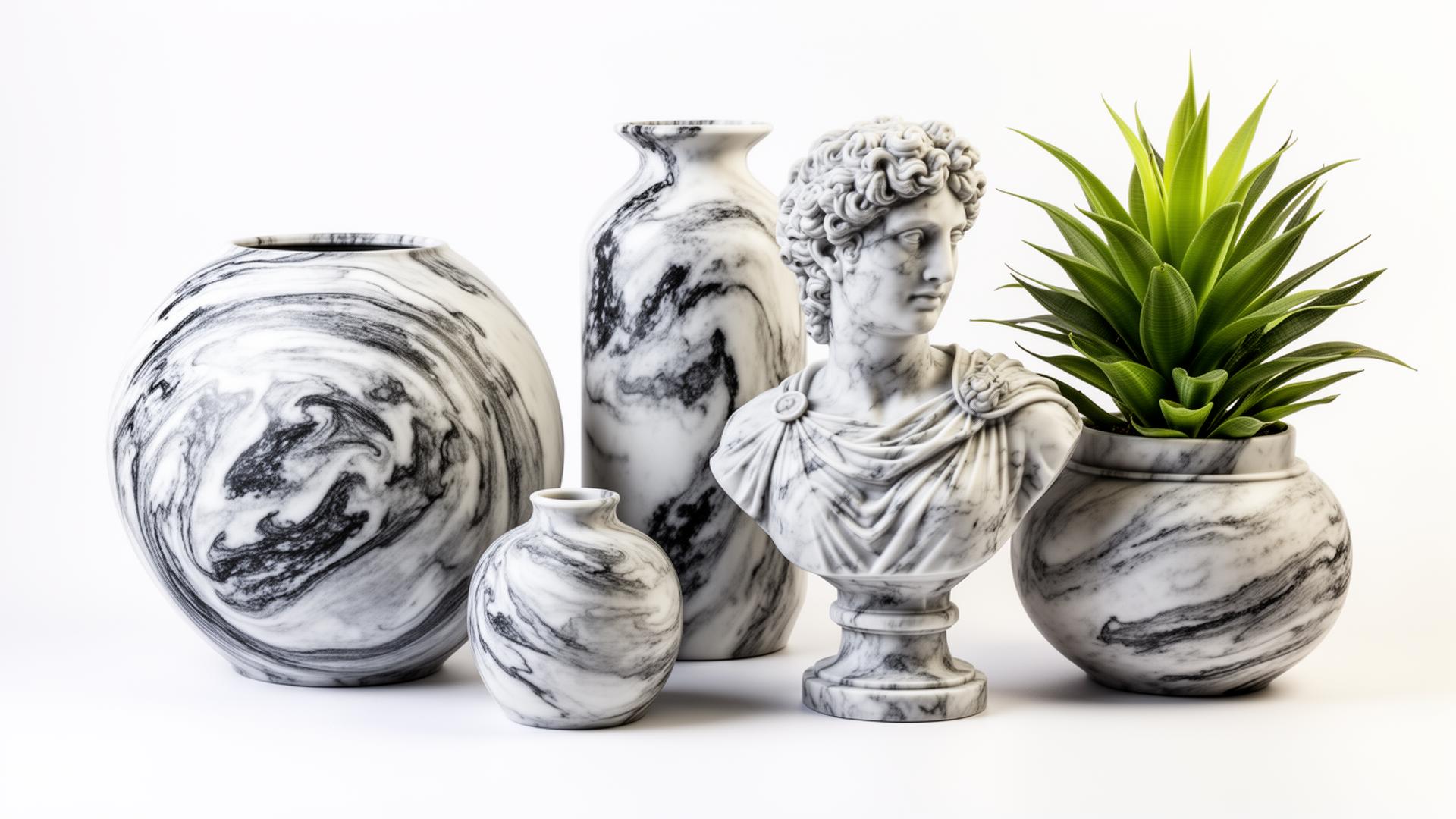
Quick Answer: Which Marble PLA Should You Buy?
There is no single best marble PLA. These filaments differ mostly in the look of the stone effect and in how much printing guidance the manufacturer publishes, so pick on that basis:
- Want the fullest published print settings: Polymaker Panchroma Marble PLA (190–230 °C nozzle, 25–60 °C bed, settings based on a 0.4 mm nozzle).
- Want documented marble powder content: ERYONE PLA Marble, which ships a technical data sheet with temperatures, speeds and drying guidance.
- Want easy availability: SUNLU Marble PLA, with a high-speed version for fast printers.
- Want a decor-focused option: ELEGOO PLA Marble, though it publishes less technical detail, so follow the spool label.
TL;DR — Quick Summary
Marble PLA is a visual choice: compare appearance and manufacturer guidance, not strength claims.
- 1Most documented: Polymaker Panchroma Marble PLA
- 2Marble powder disclosed: ERYONE PLA Marble
- 3Fast printers: SUNLU High Speed PLA Marble
- 4Nozzle: 0.4 mm is the published baseline; 0.6 mm optional
What is Marble PLA?
Marble PLA is a decorative PLA filament formulated to give printed parts the appearance of marble or stone, using pigments, colour particles or — in some products — ground mineral powder.
Composition varies by brand and is often not disclosed, so the stone effect is a surface appearance rather than a guaranteed change in material behaviour.
Introduction
Marble PLA has become one of the most popular decorative filaments because it turns an ordinary PLA print into something that reads as stone from across a room. Vases, planters, busts and architectural models all benefit from a speckled, low-gloss surface that solid colours cannot produce.
The buying decision is harder than it looks, though, because "marble" is a marketing description rather than a material standard. One brand may grind real marble powder into the PLA, another may achieve the effect with pigments and colour particles alone, and most do not publish the composition at all.
This guide compares the marble-effect PLA filaments that manufacturers currently sell and document, using their own published specifications. Where a manufacturer does not publish a figure, this guide says so instead of filling the gap with a guess.
Marble PLA Comparison Table
| Filament | Manufacturer temperature guidance | Nozzle guidance | Best suited for | Important consideration |
|---|---|---|---|---|
| Polymaker Panchroma Marble PLA | Nozzle 190–230 °C, bed 25–60 °C (manufacturer) | Manufacturer print settings are published for a 0.4 mm nozzle and state no special hardware is needed | Artistic prints, statues, architectural models and decorative pieces | Polymaker does not publish a mineral filler percentage for this filament, so treat it as a visual stone-effect PLA rather than a documented abrasive composite. |
| ERYONE PLA Marble | Nozzle 200–220 °C, bed 55–70 °C (manufacturer TDS) | No hardened-nozzle requirement is published; the TDS quotes test prints made with a standard setup | Sculptures, artwork and architectural-style prints | This is one of the few marble filaments where the manufacturer explicitly mentions marble powder, so mineral content is plausible even though no abrasion rating is published. |
| SUNLU Marble PLA | Print temperature 210–220 °C; bed 50–65 °C when heated, glue recommended on an unheated bed (manufacturer) | No specific nozzle size or hardened-nozzle requirement is published by SUNLU for this spool | Everyday decorative prints where a subtle stone look is enough | Diameter tolerance is published as ±0.02 mm; appearance varies noticeably between colours. |
| SUNLU High Speed PLA Marble | 210–230 °C at 60–150 mm/s, or 230–260 °C at 300–400 mm/s (manufacturer) | No hardened-nozzle requirement is published; SUNLU claims clog-free extrusion at speed | CoreXY and other fast machines where standard marble PLA would bottleneck the print | The very high speed figures are manufacturer marketing claims measured under their own conditions, not independently verified print quality at those speeds. |
| ELEGOO PLA Marble | ELEGOO does not publish a marble-specific temperature table on the product page; use its general PLA guidance and the spool label | Listed as universally compatible with most common 1.75 mm FDM printers; no special nozzle stated | Vases, night lights, decor pieces and display models | Because ELEGOO publishes less technical detail for this spool, start from the printed label values rather than assuming another brand's numbers. |
Figures above come from each manufacturer's own product pages or technical data sheets. They are published guidance, not independently measured results.
What is Marble PLA Filament?
Marble PLA is standard PLA that has been formulated to imitate the appearance of marble, granite or similar stone. The effect usually comes from contrasting particles or pigments distributed through the filament, which show up as speckles and irregular veining once the plastic is extruded.
Composition is not consistent across the category. ERYONE states that its marble filament blends PLA with finely ground marble powder. Polymaker describes Panchroma Marble as a bioplastic-based PLA that delivers a realistic marble or stone-like appearance, without publishing a filler figure. Other brands say only that the filament produces a stone-like texture.
That distinction matters for expectations. A marble-effect print looks like stone; it does not gain the weight, hardness or heat resistance of stone, and none of these manufacturers claim otherwise.
What marble PLA generally gives you
- A speckled, usually low-gloss surface that reads as natural stone
- A slightly different pattern on every print, because particle distribution is random
- Printing behaviour close to standard PLA for most products
- A surface that takes light sanding and matte clear coats well
3D Printer Filament Types and Uses
See where PLA and its specialty variants sit alongside every other filament type.
Marble PLA Filaments Worth Considering
1. Polymaker Panchroma Marble PLA
Matte stone-style marble appearance. Polymaker describes it as a bioplastic-based PLA designed for a realistic marble or stone-like look; it was previously sold as PolyTerra Marble PLA.
- Temperatures: Nozzle 190–230 °C, bed 25–60 °C (manufacturer)
- Speed guidance: Manufacturer states printing speeds up to 300 mm/s and a maximum volumetric speed up to 24 mm³/s
- Nozzle guidance: Manufacturer print settings are published for a 0.4 mm nozzle and state no special hardware is needed
- Drying: 55 °C for 6 hours, only if the spool has absorbed moisture (manufacturer)
- Best suited for: Artistic prints, statues, architectural models and decorative pieces
Worth knowing: Polymaker does not publish a mineral filler percentage for this filament, so treat it as a visual stone-effect PLA rather than a documented abrasive composite.
2. ERYONE PLA Marble
ERYONE states this filament blends PLA with finely ground marble powder for a stone-like texture with a smooth matte finish.
- Temperatures: Nozzle 200–220 °C, bed 55–70 °C (manufacturer TDS)
- Speed guidance: Manufacturer suggests 30–80 mm/s in the technical data sheet (30–100 mm/s on the product listing)
- Nozzle guidance: No hardened-nozzle requirement is published; the TDS quotes test prints made with a standard setup
- Drying: 50–60 °C for 6 hours (manufacturer TDS)
- Best suited for: Sculptures, artwork and architectural-style prints
Worth knowing: This is one of the few marble filaments where the manufacturer explicitly mentions marble powder, so mineral content is plausible even though no abrasion rating is published.
3. SUNLU Marble PLA
Speckled stone appearance on a standard PLA base; widely stocked in a small number of marble colours.
- Temperatures: Print temperature 210–220 °C; bed 50–65 °C when heated, glue recommended on an unheated bed (manufacturer)
- Speed guidance: Manufacturer lists 50–100 mm/s
- Nozzle guidance: No specific nozzle size or hardened-nozzle requirement is published by SUNLU for this spool
- Drying: SUNLU publishes a 50 °C drying temperature for its PLA family
- Best suited for: Everyday decorative prints where a subtle stone look is enough
Worth knowing: Diameter tolerance is published as ±0.02 mm; appearance varies noticeably between colours.
4. SUNLU High Speed PLA Marble
Marble-like particles in a high-speed PLA base, aimed at architectural and art models.
- Temperatures: 210–230 °C at 60–150 mm/s, or 230–260 °C at 300–400 mm/s (manufacturer)
- Speed guidance: Marketed for high-speed printers; SUNLU quotes up to 600 mm/s on thin walls in its store listing
- Nozzle guidance: No hardened-nozzle requirement is published; SUNLU claims clog-free extrusion at speed
- Drying: Follow SUNLU's 50 °C PLA drying guidance
- Best suited for: CoreXY and other fast machines where standard marble PLA would bottleneck the print
Worth knowing: The very high speed figures are manufacturer marketing claims measured under their own conditions, not independently verified print quality at those speeds.
5. ELEGOO PLA Marble
ELEGOO describes a stone-like texture resembling marble and granite, aimed at statues, art pieces and home decor.
- Temperatures: ELEGOO does not publish a marble-specific temperature table on the product page; use its general PLA guidance and the spool label
- Speed guidance: Not published for this specific filament
- Nozzle guidance: Listed as universally compatible with most common 1.75 mm FDM printers; no special nozzle stated
- Drying: No marble-specific drying schedule published; treat it like standard PLA
- Best suited for: Vases, night lights, decor pieces and display models
Worth knowing: Because ELEGOO publishes less technical detail for this spool, start from the printed label values rather than assuming another brand's numbers.
Several marble filaments that previously appeared in this guide have been removed because their manufacturers publish no current product documentation that can be checked.
Nozzle Size and Abrasion: What Is Actually Supported
Marble PLA is often described online as abrasive filament that demands a hardened steel nozzle and a 0.6 mm orifice. That is not supported across the category. Polymaker publishes its Panchroma Marble settings for a 0.4 mm nozzle and states the filament works on most FDM printers without special hardware or tuning. ERYONE, SUNLU and ELEGOO publish no hardened-nozzle requirement either.
The sensible reading is that abrasion depends on the specific product. Where a manufacturer discloses real ground stone content — as ERYONE does — some additional nozzle wear over the life of many spools is plausible. Where the effect is pigment-based, wear should be close to standard PLA. Since most brands do not publish composition, a blanket abrasion claim is not justified.
On nozzle size, the practical trade-off is straightforward. A 0.4 mm nozzle keeps fine detail and matches the settings manufacturers publish. A 0.6 mm nozzle reduces the chance of a partial blockage with particle-heavy filament and prints large decorative pieces noticeably faster, at the cost of crispness on small features. Start at 0.4 mm and only change if a specific spool gives you flow problems.
Best Hardened Steel Nozzle
If you print a lot of filled filaments, here is when a hardened nozzle is genuinely worth it.
Print Settings: Start From the Spool, Not From a Universal Recipe
Published ranges differ enough between brands that a single "marble PLA profile" would be wrong for most spools. Use the manufacturer figures for the exact filament you bought:
| Filament | Nozzle | Bed | Speed | Drying |
|---|---|---|---|---|
| Polymaker Panchroma Marble PLA | 190–230 °C | 25–60 °C | Up to 300 mm/s | 55 °C for 6 h if moisture absorbed |
| ERYONE PLA Marble | 200–220 °C | 55–70 °C | 30–80 mm/s (TDS) | 50–60 °C for 6 h |
| SUNLU Marble PLA | 210–220 °C | 50–65 °C heated | 50–100 mm/s | 50 °C (SUNLU PLA guidance) |
| SUNLU High Speed PLA Marble | 210–230 °C slow, 230–260 °C fast | 50–60 °C heated | 60–150 mm/s, 300–400 mm/s hot | 50 °C (SUNLU PLA guidance) |
| ELEGOO PLA Marble | Not published for this spool | Not published for this spool | Not published | Treat as standard PLA |
General starting considerations that apply to most decorative PLA prints: keep part cooling on, use a moderate layer height such as 0.2 mm for a balance of detail and speed, and tune retraction for your extruder rather than copying a number from another printer. Change one variable at a time.
Best 3D Printing Temperature Guide
How to dial in nozzle and bed temperatures for any filament using a temperature tower.
Marble PLA vs Standard PLA
The honest summary is that marble PLA is standard PLA with a decorative formulation. Appearance is the difference you are paying for. None of the manufacturers covered here claim that their marble filament is stronger, more brittle or more heat resistant than their plain PLA, so treat those claims with suspicion wherever you see them.
- Appearance: speckled stone look instead of a uniform colour.
- Printing: similar temperature ranges, though each brand publishes its own.
- Additives: vary by product and are usually not disclosed.
- Nozzle: 0.4 mm is the published baseline for the products documented here.
- Use cases: decorative and display work rather than load-bearing parts.
If you are still choosing a general-purpose PLA to sit alongside a decorative spool, our best PLA filament guide covers the broad options, and PLA+ filaments are the usual pick when you want more toughness than plain PLA.
Marble vs Silk, Matte and Wood PLA
All four are decorative PLA variants that solve different aesthetic problems:
- Choose marble PLA when you want a speckled stone or granite appearance for statues, planters and architectural pieces.
- Choose matte PLA when you want a plain low-gloss surface with no speckling — Polymaker's Panchroma Matte range is the obvious comparison point.
- Choose silk PLA when you want a shiny, metallic-looking finish rather than a natural one.
- Choose wood PLA when you want wood grain and a texture that can be sanded and stained.
What Marble PLA Is Good For
Manufacturers position these filaments for artistic and decorative work, and that matches how people actually use them. Common projects include vases, planters, busts and statues, architectural and terrain models, lamp shades and night lights, coasters and trays, and display bases for other prints.
Appearance usually drives the purchase far more than mechanical performance. For brackets, jigs, enclosures or anything under sustained load, pick a material chosen for strength instead — our functional parts guide covers that case.
Layer Lines and the Visual Effect
A speckled surface breaks up reflections, so layer lines usually read as less obvious than they do on a glossy solid colour. That is a perception effect, not a geometric one. The lines are still there, and they will show in raking light, on gentle curves and on tall vertical walls.
Model geometry matters more than the filament: organic and curved shapes hide layer transitions better than large flat faces, and a smaller layer height helps on shallow slopes. No marble PLA produces an injection-moulded surface straight off the printer.
Tips for Better Marble Prints
Pick models that suit the effect
Curved and organic shapes — vases, busts, planters — show the speckling best. Large flat faces make the pattern look repetitive.
Print a test piece first
The effect varies between colours and brands, and often between batches. A small test print tells you more than a spool photo.
Try vase mode for hollow decor
Spiralised outer contour gives a continuous wall with no seam, which suits stone-look vases and shades.
Post-process gently
Light sanding and a matte clear coat can enhance the stone impression. Heavy sanding can flatten the surface texture.
Keep it dry
Polymaker publishes 55 °C for 6 hours and ERYONE 50–60 °C for 6 hours when a spool has absorbed moisture.
Store it properly
Sealed containers with desiccant keep decorative PLA printing consistently between projects.
Best Filament Storage Container
Keep decorative PLA dry between projects with the right storage setup.
Best Filament Dryer
When storage is not enough, a dryer restores a spool that has already absorbed moisture.
Frequently Asked Questions
Final Thoughts
Marble PLA is one of the easiest ways to make a print look considered rather than manufactured, and it does not ask much of your printer. The main thing to get right is expectation: you are buying an appearance, and the products differ in how that appearance is achieved and in how much the manufacturer tells you about it.
Start from the published settings for the exact spool you buy, keep a 0.4 mm nozzle unless you have a reason to change, dry the filament if it has been open for a while, and choose models with curves. That covers almost everything that separates a disappointing marble print from a convincing one.