Best 3D Printing Temperature Settings (PLA, PETG & ABS Starting Points)
By Chris Avery, Publisher / Editor
It is easy to assume the printer is broken, but most of these problems are actually caused by bad temperature settings. Stop guessing, dial in real numbers, and print quality usually improves fast.
Quick Answer
The best 3D printing temperatures for most US-sold filament: PLA at 200–215°C nozzle / 60°C bed, PETG at 235–245°C / 75–80°C bed, and ABS at 240–255°C / 100–110°C bed in an enclosure. Always run a temp tower first — these are starting points, not final answers.
If you're 3D printing in the United States and struggling with print quality, this guide will help simplify things. This guide walks through practical starting temperatures, the common fixes that don't work, and why filament quality changes everything. The numbers are starting points based on typical manufacturer ranges — always confirm against your spool's label.
Complete 3D Printer Filament Guide
Every filament type, plain-English explanations, and what temps each one likes.
TL;DR — Quick Summary
Temperature Cheat Sheet by Material
- 1PLA: 200–215°C nozzle / 60°C bed
- 2PETG: 235–245°C nozzle / 75–80°C bed
- 3ABS: 240–255°C nozzle / 100–110°C bed + enclosure
- 4Example Setup: Sovol SV07 + Polymaker PolyTerra at 205°C
Why Temperature Settings Matter So Much
Temperature controls almost everything that goes wrong on a print. When a nozzle runs even 10°C too hot, you get stringing, sagging overhangs, and a print that looks like it's been left out in the sun. 10°C too cold and layers split, the print feels brittle, and bed adhesion falls apart.
The four things temperature directly impacts:
- Print quality. Surface finish, sharp corners, clean overhangs — all temperature-dependent.
- Layer adhesion. Too cold and the lines don't bond. Drop a print off the bed and it snaps along a layer line. A nozzle that is too cold can also cause under-extrusion.
- Stringing. Hot plastic is runny plastic. Most stringing problems start here.
- Warping. A bed that's too cool — or an ambient room that's too cold — pulls the corners off the build plate on big prints.
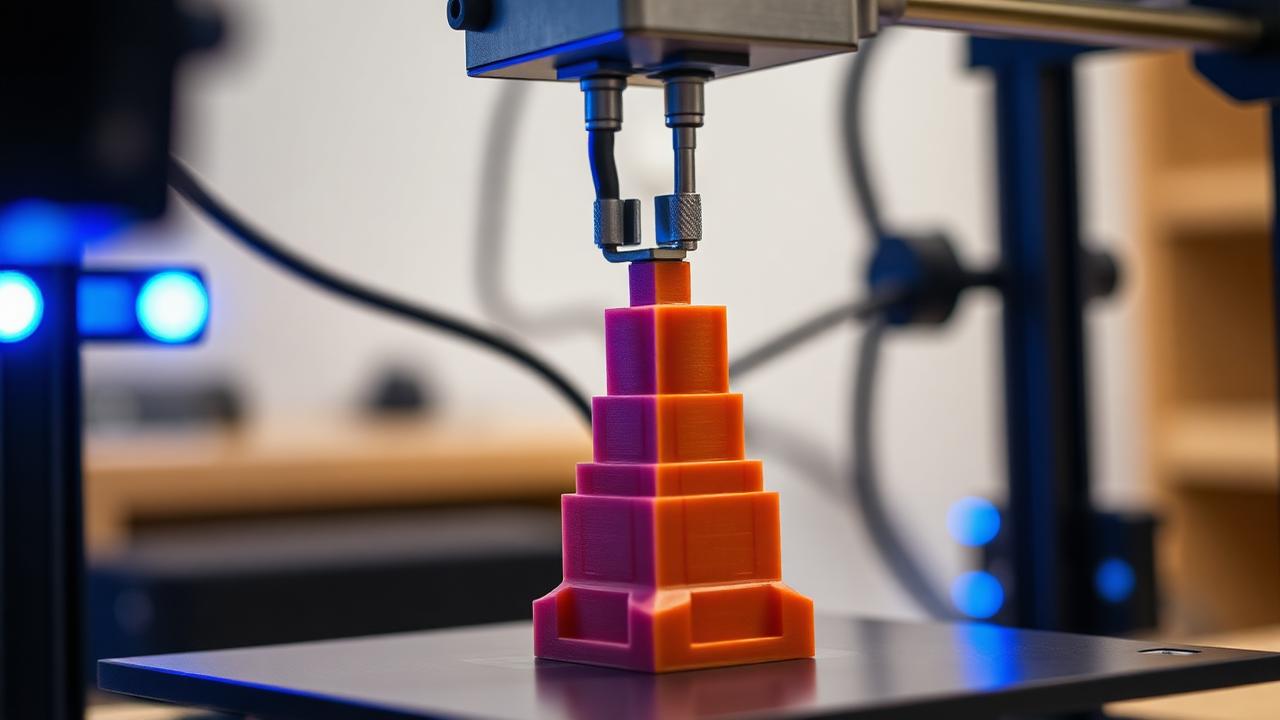
What is Temperature Tower?
Temperature Tower A test print that changes nozzle temperature every few millimeters of height, letting you compare 5–7 different temperatures on a single model. Free downloads on Thingiverse. Print one. Seriously.
The Most Common Temperature Mistakes
A lot of "broken printer" panics turn out to be temperature mistakes. These are the ones new users in US 3D printing communities run into most often:
- Printing way too hot. Hatchbox PLA says 180–220°C on the spool. So new users crank it to 220°C "for better flow." That's exactly how you get a stringy, droopy mess.
- Printing too cold to "save time" on cooldown. PETG printed at 225°C, for example, often delaminates so badly the part splits by hand.
- Guessing settings from random YouTube videos. Someone in Arizona printing in 95°F shop air needs different settings than someone in a 60°F basement in Minnesota. Copy-pasting profiles doesn't work.
- Never running a temp tower. The cheapest, fastest fix in the hobby — and most people skip it for months.
Best Filament for 3D Printing Beginners
Filaments that print well across a wide temperature range — forgiving for new users.
Best Temperature Settings for PLA
PLA is the easiest filament in the hobby, but new users still mess it up by running it too hot. Here's what's actually worked across multiple printers and brands sold in the US:
- Nozzle range: 195–220°C
- My sweet spot: 200–210°C for most US brands
- Bed: 55–65°C (60°C is the gold standard)
- First layer: +5°C on the nozzle helps adhesion a ton
A good starting point: around 205°C on Polymaker PolyTerra PLA. Clean surfaces, almost zero stringing, and the bed releases easily after the build plate cools. Hatchbox usually likes 210°C. Cheap Amazon house-brand spools usually need 195–200°C — they run hotter than advertised.
Best Temperature Settings for PETG
PETG is where most people get burned (literally and figuratively). It looks like PLA but behaves nothing like it. The big mistake is using PLA-style retraction with PETG-style heat — that's stringing city.
- Nozzle range: 230–250°C
- My sweet spot: 240°C
- Bed: 75–80°C (PETG sticks too well — use a release agent)
- Print speed: Slow it down to 40–50 mm/s on first attempts
Common PETG mistakes: Running it at 220°C "because it's similar to PLA" — you'll get poor layer adhesion. Cranking it to 255°C — you'll get strings everywhere and a smell that fills the whole garage. Find your sweet spot in the middle.
PLA vs PETG — Which Should You Actually Use?
The real differences between PLA and PETG and how their temperatures change everything.
Best Temperature Settings for ABS
ABS is the diva of the filament world. It's strong, heat-resistant, and great for automotive parts — but it'll warp off the bed faster than you can grab a coffee if you don't lock down the temperatures and environment.
- Nozzle range: 235–260°C
- My sweet spot: 245–250°C
- Bed: 100–110°C (non-negotiable)
- Enclosure: Required. Aim for 40–50°C chamber temp.
Enclosure tip: Even a cardboard box over the printer dramatically reduces ABS warping. If you live somewhere with cold winters — Chicago, Denver, upstate New York — ambient temperature alone can ruin your ABS prints. Enclose it.
Best Filament for Avoiding Warping on Large Prints
Materials and settings that stop warping cold — even on big prints.
What Helps You Dial Everything In
Temperature problems get much easier once you stop guessing and start testing systematically. Three things make the biggest difference:
- Temperature towers. 20 minutes of printing, 5°C steps, and you see exactly where stringing starts, where overhangs get droopy, and where layer adhesion falls apart. Do this for every new spool.
- Slowing down print speed. When in doubt, slow down. Running PLA at 60 mm/s instead of 150 mm/s lets the same temperature actually melt the plastic properly. High-speed printing demands higher temps, which causes more stringing — a trade-off.
- Better filament. Often the biggest jump in print quality isn't a setting change — it's switching from bargain mystery PLA to a well-made filament such as Polymaker. The same temp tower can give very different results.
3D Printing Stringing Fix
If lowering temps didn't kill your stringing, this guide goes deeper into retraction and moisture.
Cheap Filament vs Quality Filament (Temperature Differences)
This is the part of the hobby nobody warns you about: cheap filament doesn't run at one temperature. It runs at five.
A no-name spool can print well at 205°C for the first part of the roll, need 215°C in the middle, and clog near the end. That's not a printer problem. That's quality control.
- Inconsistent melting: Cheap pellets and uneven extrusion mean the same temp behaves differently on different parts of the spool.
- Quality control issues: Diameter wandering from 1.65 to 1.85mm on a "1.75mm" spool means your hotend never reaches a steady state.
- Moisture absorption: Cheaper spools usually ship without proper vacuum sealing, so they arrive damp.
Quality filament from Polymaker or similar tight-tolerance brands prints at the same temperature across the whole spool. That alone is worth the extra $5.
3D Printer Filament Types and Uses
A deeper look at every filament type and the temperatures they actually like.
A Setup That Works Consistently
This is a combination that prints reliably without drama:
- Printer: Sovol SV07 with the stock direct-drive extruder. The thermistor is accurate enough that profile temps actually translate to real-world results — which isn't true on every budget machine.
- Filament: Polymaker PolyTerra PLA. Same temp works across the whole spool, and it lives in a dry box with desiccant between prints.
- Typical temps: 205°C nozzle, 60°C bed, first layer +5°C, 50 mm/s for visual prints, 100 mm/s for utility prints.
Our Printer Pick (US-Friendly)
If you want a printer where temperatures actually behave the way the profile says, Sovol is the brand we recommend. Ships from US warehouses, dialed-in firmware, easy returns.
Check Sovol PrintersAffiliate link — supports the site at no cost to you.
Availability in the United States
If you're buying filament in the US, you have a lot of options — but only a handful are worth dealing with for consistent temperatures:
- Where to buy: Polymaker direct, Amazon Prime (Hatchbox, Overture), and Sovol's US store all ship from domestic warehouses. Two-to-three day delivery in most states.
- Pricing: PETG and ABS normally cost a little more per kilogram than comparable PLA. Compare the current per-kilogram checkout total before ordering.
- Shipping: Delivery terms and any free-shipping threshold vary by seller — check the current listing. International filament can look cheaper per kilo, but factor in shipping time and customs.
Not sure temperature is to blame?
Stringing, weak layers and blobs can come from temperature or from something else entirely. Describe the symptom in the 3D Print Problem Troubleshooter to see which settings to check first.
If Your Prints Still Look Bad, Start Here
If you've dialed in temps and your prints still look rough, the issue is probably either filament quality or the printer itself. A modern, well-tuned printer fixes a huge percentage of "settings" problems automatically — auto bed leveling, accurate thermistors, and pre-tuned profiles save weeks of frustration.
Best 3D Printer for Beginners (2025)
Printers that hold accurate temperatures out of the box — and ship from US warehouses.
Why Your 3D Prints Look Rough
If temperature isn't the culprit, this guide covers the next things to check.
Frequently Asked Questions
What temperature should PLA be printed at?
Most US-sold PLA prints best between 195°C and 215°C on the nozzle with a 55–65°C bed. Polymaker PolyTerra runs great at 205°C, Hatchbox at around 210°C, and budget store-brand PLA usually needs the lower end (195–200°C) to avoid stringing. Run a temp tower if you're unsure — it takes 20 minutes and saves weeks of frustration.
Why are my prints stringing?
Stringing almost always comes from one of three things: nozzle too hot, retraction not tuned, or wet filament. Drop the temp 5°C at a time, increase retraction slightly, and dry your filament for 4 hours at 45°C. That combo fixes the vast majority of stringing issues.
Does filament quality affect temperatures?
Yes — significantly. Cheap filament has inconsistent diameter and additives, so the temp that worked yesterday won't work today. Quality brands like Polymaker print consistently at the same temperature across the whole spool because tolerance is tighter (±0.03mm).
Should I use the temperature on the spool label?
Use it as a starting point only. Manufacturer ranges (usually 190–220°C for PLA) are wide because every printer's hotend reads temperature slightly differently. Your printer might run 10°C hot or cold. A simple temp tower tells you the real sweet spot in 20 minutes.
Is a heated bed necessary?
For PLA in a comfortable US room (around 70°F), you can get away without one — but a 55–60°C bed makes adhesion night-and-day better. For PETG and ABS, a heated bed isn't optional, it's required.
Final Thoughts — Stop Guessing Your Temps
Temperature is the single highest-leverage setting in 3D printing. Get it right and most "printer problems" disappear. Get it wrong and you'll be chasing ghosts for months.
Run a temp tower. Use a known-good filament. Write down what works for each spool. That's it. The whole "magic" of dialed-in 3D printing is just doing those three things consistently.
Build the Setup That Just Works
A reliable printer with Polymaker filament prints consistently at the same temps every single time. If you're starting fresh or upgrading, this is a solid place to start.
Shop 3D Printers on AmazonAmazon affiliate link. As an Amazon Associate I earn from qualifying purchases.