Why Your 3D Prints Have Stringing (And How to Fix It Fast)
By Chris Avery, Publisher / Editor
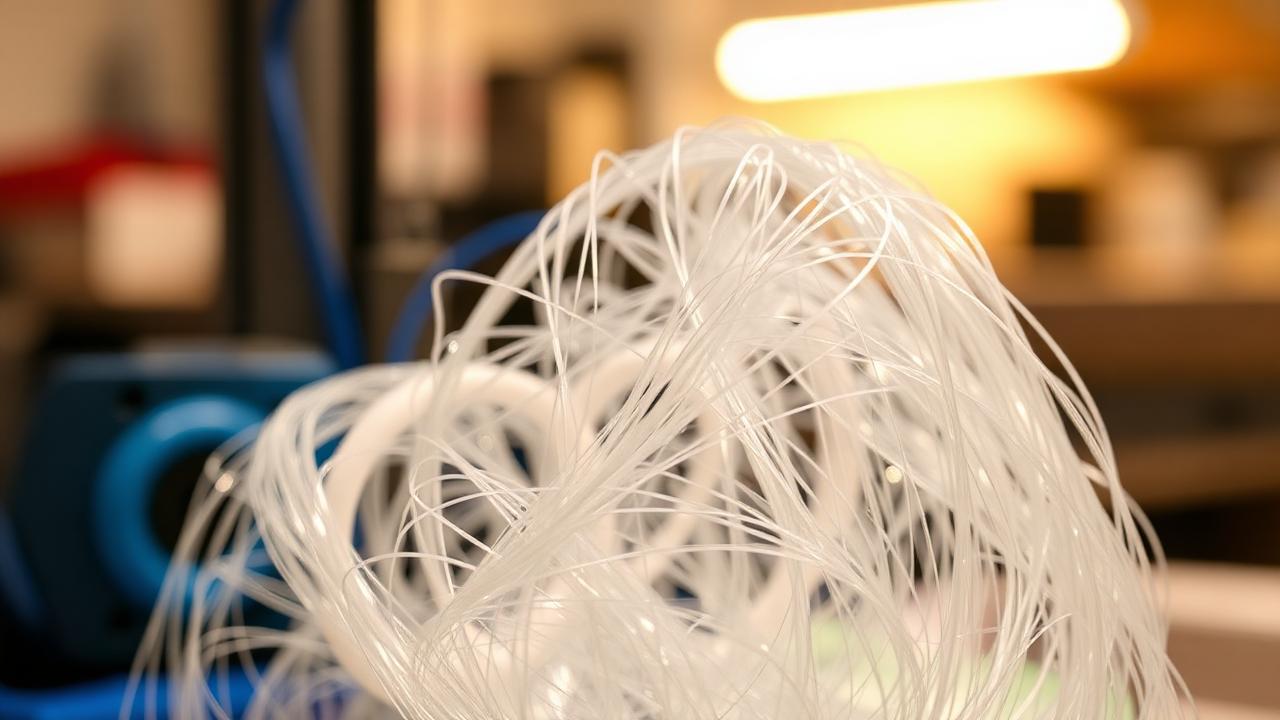
Thin plastic strings everywhere — between towers, across gaps, dangling off corners — make even a great model look messy and low-quality. Here's what usually fixes it.
Quick Answer
To fix 3D printing stringing: drop your nozzle temperature by 5–10°C, increase retraction distance (5–6mm Bowden, 0.8–1.5mm direct drive), raise retraction speed to 40–60 mm/s, and dry your filament. If it still strings, switch to a higher-quality, tight-tolerance spool — that fixes 90% of cases.
If you're new to 3D printing in the United States, this will save you a lot of frustration. Stringing is one of the most demoralizing problems for new printers — every print looks like a spiderweb, and the advice online is all over the place. The good news: it's almost always fixable in an afternoon.
Complete 3D Printer Filament Guide
Every filament type and why some string more than others — in plain English.
TL;DR — Quick Summary
The Stringing Fix Cheat Sheet
- 1First Move: Drop nozzle temp 5–10°C
- 2Retraction: 5–6mm Bowden / 0.8–1.5mm direct drive @ 40–60 mm/s
- 3Filament: Dry it 4–6 hours at 45°C
- 4Long-Term Fix: Explore Polymaker Filament
What Stringing Actually Is
Stringing is exactly what it sounds like — thin strands of plastic stretched between separate parts of your print. They form when the nozzle moves from one spot to another and molten filament leaks out during the travel move.
A little stringing is normal, especially with PETG or wet PLA. But when your print comes off the bed looking like cotton candy, something's off — and 99% of the time it's one of four things: temperature, retraction, moisture, or filament quality.
What is Retraction?
Retraction When the extruder pulls the filament back a small amount during travel moves. This relieves pressure inside the nozzle so molten plastic doesn't ooze out and form strings between print features.
The Real Causes of Stringing
Almost every stringing problem traces back to one of these four:
- Nozzle temperature too high. The hotter the plastic, the runnier it gets. If you're printing PLA at 220°C because "more heat = better flow," you're basically painting strings everywhere on travel moves.
- Retraction settings off. Too little retraction and plastic oozes out during travel. Too much and you get clogs. Most stock profiles in the US ship with retraction set conservatively — that's a starting point, not a final answer.
- Moist filament. Filament is hygroscopic — it absorbs water from the air. When wet plastic hits the nozzle, the moisture flashes to steam and literally sprays fine strings across the print. This one nobody talks about enough.
- Poor filament quality. If your filament's diameter is wandering between 1.65 and 1.85mm on a "1.75mm" spool, retraction can't possibly be consistent — and stringing becomes basically unavoidable.
Best Filament for 3D Printing Beginners
The filaments that just work — even if your settings aren't dialed in yet.
Common Fixes That Waste Time
These are the classic mistakes people make when they first run into stringing. If you're going down this path, save yourself the time:
- Randomly cranking settings. Bumping retraction to 8mm, then 10mm, then 12mm on a direct-drive printer tends to grind the filament and clog the hotend.
- Guessing fixes from random YouTube videos. Half the advice was for Bowden printers, the other half for direct drive — and the two need completely different retraction values.
- Wasting filament running calibration cubes back-to-back. Printing tower after tower without changing one variable at a time burns through filament and never shows what is actually helping.
- Blaming the printer. It's tempting to order a new hotend when the real problem is a damp spool that has been sitting open for weeks.
What Usually Fixes Stringing
Stop guessing and change one thing at a time — the fix is usually simple. Here's the order to run it in:
- Lower the nozzle temperature. Dropping PLA from 215°C to around 205°C often reduces stringing noticeably. For most US-sold PLA, the sweet spot is 195–210°C.
- Tune retraction properly. On a Bowden setup (most budget printers), 5–6mm at 45 mm/s is a strong starting point. On direct drive, try 0.8–1.5mm at 40 mm/s. Run a single retraction tower — not five — and adjust from there.
- Dry the filament. 4–6 hours at 45°C in a filament dryer (or even the oven on the lowest setting) made a bigger difference than any slicer change. This is the step most people skip.
- Slow down travel speed slightly — if you're flying around at 200 mm/s on travels, oozed plastic gets dragged across the print. 120–150 mm/s is plenty.
Why Your 3D Prints Look Rough (And How to Fix Them)
If your prints are stringy AND rough, this likely fixes both.
The Biggest Difference Maker (Most People Ignore This)
Here's the part nobody wants to hear: filament quality matters more than any setting. If you're using cheap or inconsistent filament, you're going to keep seeing this problem no matter how many retraction towers you print.
A cheap mystery spool and a well-made spool such as Polymaker PolyTerra PLA can behave very differently on the same printer, slicer profile and room. Tight diameter tolerance (±0.03mm), dry packaging, and consistent flow simply behave better in the hotend. If you want to try a known-good spool, you can browse Polymaker filament.
That doesn't mean you have to buy boutique filament. It means you need known-good filament — a brand sold in the US with reliable diameter and proper packaging. Hatchbox, Polymaker, and Overture are all safe bets.
PLA vs PETG — Which Should You Actually Use?
PETG strings way more than PLA by default. Here's how to choose between them.
A Reliable Low-Stringing Setup
A combination like this keeps stringing to a minimum for most PLA printing:
- Printer: Sovol SV07 with the stock direct-drive extruder. Direct drive cuts retraction distance way down, which kills stringing at the source. Sovol ships from US warehouses, so it's quick to get and easy to return if anything's off.
- Filament: Polymaker PolyTerra PLA, kept in a dry box with desiccant, and dried for about 2 hours before any long print.
- Settings: 205°C nozzle, 60°C bed, 0.8mm retraction at 40 mm/s, travel 150 mm/s, "combing" turned off so the nozzle lifts during travels.
Our Printer Pick (US-Friendly)
If you want a printer that fights stringing for you out of the box (direct drive, good firmware, US support), Sovol is the brand we recommend.
Check Sovol PrintersAffiliate link — supports the site at no cost to you.
Strings plus blobs, gaps or rough walls?
Stringing rarely travels alone. The 3D Print Problem Troubleshooter walks through the other symptoms on your print and points to the checks worth doing first.
Common Mistakes That Cause Stringing
- Running PLA at 220°C+. Way too hot for most US-sold PLA. Drop it.
- Using whatever retraction the slicer ships with. Cura, Orca, and PrusaSlicer all default to generic values. They're rarely optimal for your exact printer.
- Printing straight off a spool that's been open for months. Even in dry US states, that spool has absorbed enough water to mess up prints.
- Trusting $7 marketplace filament. No-name spools without quality control will string no matter what you do.
- Changing five settings at once. Now you have no idea which one worked. Always change one variable at a time.
If You Want Better Prints Overall, Start Here
Fixing stringing is one piece of the puzzle. If your prints still don't look how you want — rough surfaces, weak layer adhesion, bed adhesion problems — the printer itself often is the bottleneck. A well-tuned modern printer with good firmware solves a huge percentage of "settings" problems automatically.
Best 3D Printer for Beginners (2025)
Printers worth recommending to a friend starting today — easy to dial in, low stringing, US-friendly support.
3D Printer Bed Adhesion Problems: What Actually Works
Solving stringing won't help if your prints lift off the bed. Fix that first.
Frequently Asked Questions
What causes stringing in 3D printing?
Stringing is caused by molten plastic oozing out of the nozzle while the printhead travels between parts of the model. The main culprits are nozzle temperature too high, retraction distance or speed too low, and moist filament — wet plastic boils inside the hotend and sprays fine strings everywhere.
How do I stop stringing?
Drop your nozzle temperature 5°C at a time, increase retraction distance to around 5–6mm on a Bowden setup or 0.8–1.5mm on direct drive, raise retraction speed to 40–60 mm/s, and dry your filament for 4–6 hours at 45°C. In 90% of cases, that combination kills stringing.
Does filament quality affect stringing?
Yes — a lot. Cheap or inconsistent filament has uneven diameter and absorbs moisture faster, both of which cause stringing no matter how perfect your settings are. Switching to a tight-tolerance brand like Polymaker PolyTerra or PolyLite often fixes stringing instantly.
Can wet filament really cause stringing?
Absolutely. PLA, PETG, TPU, and especially nylon all absorb humidity from the air. When that wet filament hits a 200°C+ nozzle, the water flashes to steam and pushes plastic out as fine strings. If you live anywhere humid in the US — Florida, the Gulf Coast, the Pacific Northwest — this is probably your problem.
Is stringing a sign my printer is broken?
Almost never. Stringing is a settings and material issue 95% of the time. Before you blame the printer, dry the filament, drop the temp, and tune retraction. If it still strings with a known good spool and dialed settings, then look at a leaky nozzle or worn PTFE tube.
Final Thoughts — Fix This Once and You're Good
Stringing feels devastating when you're new — every print looks ruined. But it's one of the most fixable problems in the hobby. Drop temperature, tune retraction, dry your filament, and use a known-good brand. Do those four things and you'll wonder how it ever bothered you.
If you're still using a printer that fights you on every variable, do yourself a favor and start with a machine that's already dialed in. It saves weeks of frustration.
Stop Fighting Your Printer
A well-tuned printer can go months without stringing. If you're upgrading, this is a solid place to start.
Shop 3D Printers on AmazonAmazon affiliate link. As an Amazon Associate I earn from qualifying purchases.