Best 3D Printers for Cosplay: Which Type Should You Buy?
By Chris Avery, Publisher / Editor
The best 3D printer for cosplay depends on what you make. Helmets and armor reward build volume; detailed emblems may favor resin; heat-resistant materials can change the enclosure and ventilation requirements. This guide compares five current machines by those decisions rather than price tags or invented scores.
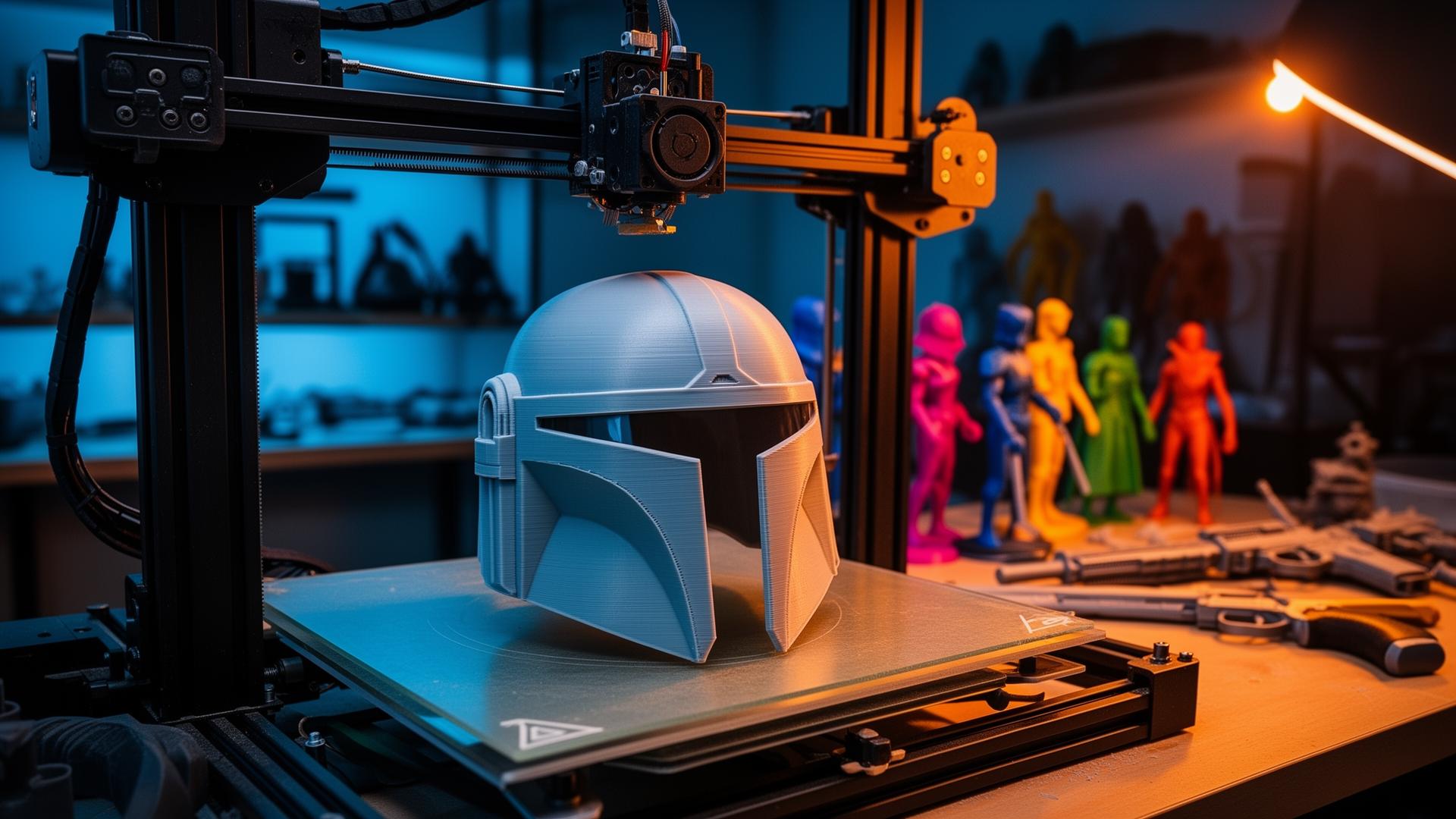
Quick Answer: What Is the Best 3D Printer for Cosplay?
Choose by project, not a universal winner. A large-format FDM printer such as the Sovol SV08 can reduce splitting on helmets and armor. The Bambu Lab P2S fits buyers who prioritize an enclosed workflow and optional multicolor. The Ender-3 V3 is a compact route for split parts, while the Elegoo Saturn 4 Ultra is for small resin details—not full armor. Check each scaled model against the actual build volume before buying.
TL;DR — Quick Summary
Match the printer format to the cosplay work you expect to do most:
- 1Large armor and helmets: Prioritize usable build volume; bigger beds can mean fewer seams, but never guarantee one-piece fit.
- 2Enclosed workflow: Consider the P2S when containment, automation and optional multicolor outweigh maximum bed size.
- 3Budget-oriented entry: A compact FDM printer works if you accept model splitting, assembly and added finishing.
- 4Small detailed accessories: Resin excels at emblems and jewelry but adds handling, ventilation, washing and curing requirements.
- 5Advertised speed: Treat the maximum as a machine specification, not a guaranteed helmet-printing speed.
What Matters Most in a 3D Printer for Cosplay?
Start with the largest scaled part in your planned costume—not a generic helmet dimension. Chest plates, shoulder pieces and broad weapon shells may use bed width differently from a helmet. More build volume can reduce seams, while a smaller machine can still complete the same project with thoughtful cuts and alignment features.
What is Part Splitting?
Part Splitting Dividing a model into printable sections that are joined after printing. Strategic cuts can reduce supports, make failures cheaper to reprint and place seams where sanding is easier. Alignment pins, keys or overlapping joints can help parts register during assembly.
Speed is useful for a costume made of many pieces, but the machine's advertised maximum does not predict total project time. Nozzle flow, layer height, walls, infill, supports, acceleration, cooling and the desired surface finish all constrain practical profiles. Reliability across a long job is often more valuable than chasing the maximum motion figure.
How Do These Cosplay 3D Printers Compare?
Maximum speeds below are manufacturer ratings, not expected speeds for every model or material.
| Printer | Type | Build volume | Frame | Rated maximum | Best suited for | Important tradeoff |
|---|---|---|---|---|---|---|
| Sovol SV08 | CoreXY FDM | 350 × 350 × 345 mm | Open; enclosure option available | 700 mm/s | Large, fast FDM projects | Large footprint and more setup involvement than a compact enclosed machine |
| Sovol SV07 Plus | Bedslinger FDM | 300 × 300 × 350 mm | Open | 500 mm/s (250 mm/s recommended) | Accessible large-format FDM | Moving-bed design needs substantial clear space and is less contained than CoreXY options |
| Bambu Lab P2S | CoreXY FDM | 256 × 256 × 256 mm | Enclosed | 600 mm/s | Enclosed FDM and optional multicolor | Smaller build area than the Sovol options, so wearable parts may need more splitting |
| Creality Ender-3 V3 | CoreXZ FDM | 220 × 220 × 250 mm | Open | 600 mm/s | Compact, budget-oriented FDM | The smaller bed makes splitting and assembly more likely for helmets and large armor |
| Elegoo Saturn 4 Ultra | MSLA resin | 218.88 × 122.88 × 220 mm | Covered resin system | Up to 150 mm/h | Small, highly detailed cosplay parts | Not intended for full-size armor; requires gloves, washing, curing and ventilated handling |
Which Current Printers Fit Different Cosplay Projects?
These are category options rather than a numbered league table. Each solves a different mix of size, workflow, material and detail requirements.
Sovol SV08
Build Volume
350 × 350 × 345 mm
Manufacturer Max
700 mm/s
Format
CoreXY FDM
The SV08 is the strongest fit here when build area and throughput matter together. Its advertised maximum speed is a machine limit, not a promise that a complete helmet will print at 700 mm/s. Model geometry, nozzle flow, layer height, supports and material still govern real print time.
Verified decision points
- Large build area can reduce splitting on helmets and armor panels
- Four independent Z motors and linear rails
- Klipper-based controls with input shaping
- Manufacturer-rated maximum acceleration of 40,000 mm/s²
Material consideration: PLA, PETG and TPU; higher-shrink materials need appropriate enclosure and ventilation
Sovol SV07 Plus
Build Volume
300 × 300 × 350 mm
Manufacturer Max
500 mm/s (250 mm/s recommended)
Format
Bedslinger FDM
The SV07 Plus remains relevant for builders who prioritize a large bed over an enclosed chassis. A 300 mm axis can reduce splitting for many models, but helmet geometry and wearer measurements must still be checked before printing.
Verified decision points
- 300 mm square bed gives helmet and armor models more room
- Klipper firmware and 5-inch touchscreen
- Automatic 25-point bed leveling
- Direct-drive dual-gear extruder
Material consideration: Direct-drive setup suits PLA, PETG and flexible filament; enclosure needs vary by material
Bambu Lab P2S
Build Volume
256 × 256 × 256 mm
Manufacturer Max
600 mm/s
Format
CoreXY FDM
The P2S replaces the P1S in this comparison because it is Bambu Lab's newer P-series platform. It is the more natural choice when enclosure, workflow automation and optional multicolor matter more than maximum helmet-size build volume.
Verified decision points
- Enclosed CoreXY design
- Automatic calibration and monitoring features
- AMS 2 Pro compatibility for multicolor workflows
- Improved airflow and cooling over the earlier P1 series
Material consideration: Broad FDM support; verify hotend/nozzle requirements for filled materials
Creality Ender-3 V3
Build Volume
220 × 220 × 250 mm
Manufacturer Max
600 mm/s
Format
CoreXZ FDM
The Ender-3 V3 remains a current, compact route into cosplay printing. It makes the most sense for buyers comfortable splitting large models and spending more time joining and finishing seams.
Verified decision points
- Compact open-frame format
- Automatic leveling
- Direct-drive extrusion
- Manufacturer lists a 300°C maximum nozzle temperature
Material consideration: PLA, PETG and TPU are practical starting points; manufacturer also lists ABS and filled options with suitable setup
Elegoo Saturn 4 Ultra
Build Volume
218.88 × 122.88 × 220 mm
Manufacturer Max
Up to 150 mm/h
Format
MSLA resin
The Saturn 4 Ultra serves a different job from the FDM machines: emblems, jewelry, ornamental details and compact props where surface detail matters. Its build shape is not a substitute for a large FDM printer when the goal is wearable armor.
Verified decision points
- 12K monochrome LCD
- 19 × 24 μm XY resolution
- Tilt-release mechanism
- Automatic leveling and flip-up cover
Material consideration: 405 nm photopolymer resin
FDM vs Resin for Cosplay: Which Should You Choose?
Choose FDM for scale
FDM is generally the practical choice for helmets, armor, shields and large structural props. Larger build areas and lower material cost per large part suit wearable projects, while layer lines are usually handled during finishing.
Choose resin for detail
Resin suits small emblems, jewelry, ornamental inserts and detailed accessories. Uncured resin requires gloves, controlled handling, washing, curing and suitable ventilation; follow the resin and printer manufacturers' safety instructions.
3D Printers for Fine Miniature Detail
Compare detail-oriented printers when small surface features matter more than wearable scale.
Which Filament Should You Use for Cosplay Armor and Props?
There is no universal cosplay filament. Match the material to heat exposure, flex, impact, finishing work and your printer's environment.
PLA and PLA+
Straightforward for display pieces, convention armor and helmets. Easy printing makes it a sensible starting point, but heat exposure remains a consideration.
Read the material guide →PETG
Useful when toughness and more temperature tolerance than standard PLA matter. Stringing and surface finishing may need extra attention.
Read the material guide →ASA and ABS
Options for greater heat resistance. Both benefit from a stable enclosed print environment; use appropriate ventilation and follow material guidance.
Read the material guide →TPU
Useful for flexible connectors, gaskets, padding and wearable details rather than rigid armor shells.
Read the material guide →When a 3D Printer Enclosure Helps
Compare enclosure considerations before printing higher-shrink cosplay materials.
How Should Post-Processing Affect Your Printer Choice?
FDM layer lines, support contact and assembly seams affect the work after printing. Larger beds can reduce seams, while smaller printers may let you place cuts where they are easy to reinforce and conceal. Sanding, filler or primer, painting and assembly should be chosen for the material and finish—not applied as one universal recipe.
Before slicing, plan how parts will align, where glue or mechanical reinforcement can sit, and whether a seam will be hidden by a costume detail. This often saves more finishing effort than a modest increase in advertised printer speed.
Frequently Asked Questions About 3D Printers for Cosplay
What is the best type of 3D printer for cosplay?
For helmets, armor and large structural props, FDM is usually the practical starting point because it offers larger build volumes and lower material cost per large part. Resin is better suited to small, highly detailed accessories. The right FDM format depends on the model size, materials, workspace and how much part splitting you accept.
What build volume is good for cosplay helmets?
A larger build volume gives you a better chance of fitting a helmet in fewer pieces, but no single dimension guarantees that every adult helmet will fit. Check the exact model's bounding dimensions after scaling it to the wearer. A 300 mm or larger axis is useful, while smaller printers can still work by splitting the model.
Is FDM or resin better for cosplay?
FDM is generally better for large armor, helmets and structural props. Resin is useful for small emblems, jewelry, ornamental details and accessories where fine surface detail matters. Resin also requires gloves, careful cleanup, curing and suitable ventilation, so it should be chosen for the job rather than treated as the default.
Can a 3D printer print a full-size helmet?
Yes, if the scaled helmet fits inside the printer's usable build volume and its orientation is printable. Larger printers can reduce the number of seams, but model shape and wearer measurements matter as much as a headline bed dimension. Many creators intentionally split helmets for easier printing, support removal and repair.
Do I need a large-format printer for cosplay?
Not necessarily. Large-format printers reduce splitting on helmets, chest pieces and broad props, but smaller printers can make the same projects as keyed sections. The tradeoff is more slicing decisions, seams, adhesive work and finishing.
What filament is good for cosplay armor?
PLA or a tougher PLA formulation is a straightforward choice for display and convention pieces. PETG adds toughness and improved temperature tolerance but can require more finishing care. ASA and ABS suit heat-conscious applications when the printer, enclosure and ventilation are appropriate. TPU is useful for flexible connectors, padding and wearable details.
Is an enclosed 3D printer necessary for cosplay?
No. Open printers are commonly used with PLA, PETG and TPU. An enclosure becomes more important for higher-shrink materials such as ABS and ASA because it helps stabilize the print environment. Those materials also call for appropriate ventilation and manufacturer-specific safety guidance.
Can budget 3D printers make cosplay props?
Yes. A smaller budget-oriented FDM printer can produce armor and props if you are willing to split large models and assemble them. Evaluate reliable leveling, material support, replacement parts and the usable build area rather than assuming a low price or advertised speed determines output quality.
How important is printing speed for cosplay?
Speed matters when a costume requires many large pieces, but manufacturer maximum speed is not the speed every model can sustain. Volumetric flow, nozzle size, layer height, acceleration, cooling, supports and surface-quality goals all affect completion time. Build volume and reliability can matter more than the headline maximum.
Can you print cosplay armor in multiple pieces?
Yes. Splitting armor into keyed sections is a standard way to fit large models on smaller beds. Plan seams where they can be aligned, reinforced and concealed, then choose adhesive and finishing methods that suit the printed material and how the costume will flex.
Which Cosplay Printer Should You Buy?
Choose the SV08 or SV07 Plus when reducing splits on large FDM parts is the priority. Choose the P2S for an enclosed, automated workflow with optional multicolor. Choose the Ender-3 V3 if compact size and a lower-cost category matter more than one-piece helmets. Add a resin printer only when your work genuinely needs small-detail output and you can support its handling workflow.
Best 3D Printers for Beginners
Compare easier first-printer workflows if cosplay will be your first 3D-printing project.
Related Articles
Best 3D Printing Temperature Settings (What Actually Worked for Me)
Best 3D printing temperature settings for PLA, PETG, and ABS. Real-world numbers, US filament picks, and dialed-in starting points — no guessing.
Best Filament for Functional Parts (What Actually Holds Up)
The best filament for functional 3D parts — real picks for strength, heat, and impact. US pricing, honest experience-based recommendations.
Why Your 3D Prints Have Stringing (And How I Fixed It Fast)
3D printing stringing fix that actually works. Real causes, real settings, and the simple changes that finally kill stringing on prints.
Affiliate Disclosure: 3D Print Geek is reader-supported. When you buy through links on our site, we may earn an affiliate commission at no extra cost to you. This helps us keep creating free content. We only recommend products we genuinely believe in.