What Can You Make With a 3D Printer? Real Examples and Ideas
By Chris Avery, Publisher / Editor
Quick Answer
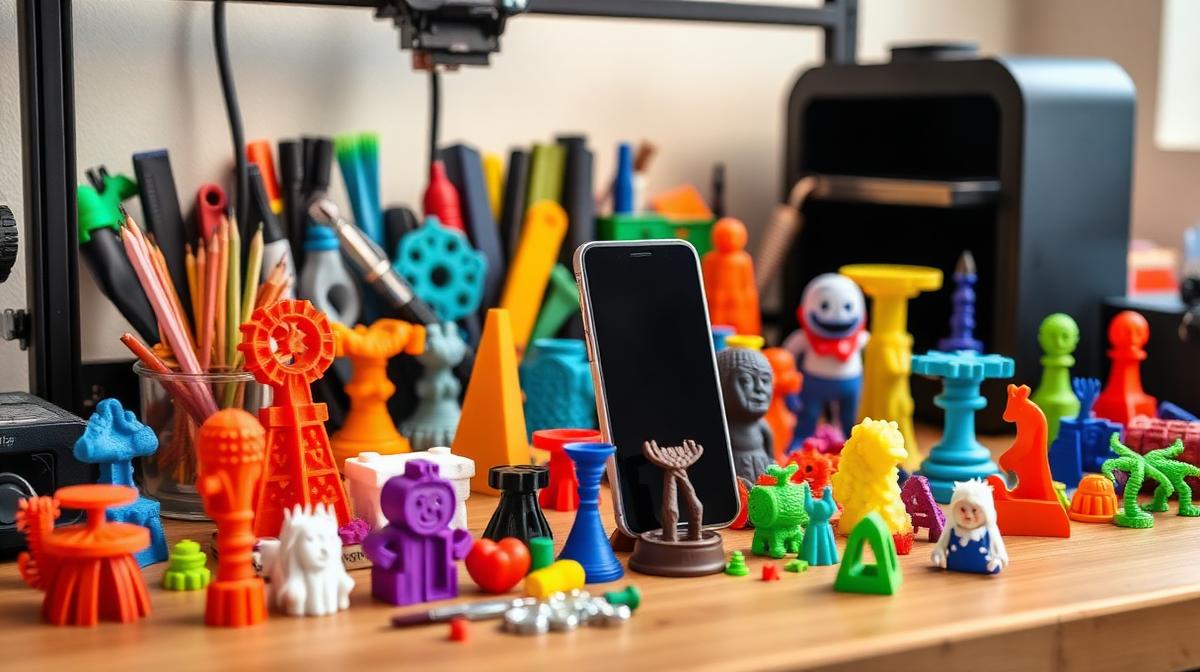
With a 3D printer, you can make practical items like phone stands, tool holders, and replacement parts — plus creative projects like art pieces, custom designs, and cosplay props. Most beginners start with simple functional prints and quickly discover how useful (and addictive) it becomes.
TL;DR — Quick Summary
TL;DR — What Can You Make?
- 1Practical: Phone stands, tool holders, organizers, replacement parts
- 2Creative: Lithophanes, articulated toys, planters, cosplay props
- 3Money-saving: Replacement parts and custom fixes for pennies in filament
- 4First project: Start with a phone stand or cable clip
- 5Best beginner printer: Sovol SV06
Getting a first 3D printer often comes with no idea what to actually use it for. It's cool, sure — the YouTube videos are everywhere. But sitting in front of it with an empty build plate can feel like a complete blank.
That changes fast for most people. Within a week, it's common to be printing things actually needed around the house. Within a month, many people are designing their own stuff. If you're wondering what you can make with a 3D printer, the honest answer is: way more than you think.
Best 3D Printer for Beginners (2025)
If you're thinking about getting started, read this first — it breaks down exactly which printer to get and why.
The First Things Beginners Print
A first print is often a calibration cube. Exciting? Not even a little. But it confirms the printer is working, and that feels like a win.
After that, many people print the famous "Benchy" — a little boat that every 3D printer owner knows. It's a benchmark test, but honestly, seeing a tiny boat appear on the build plate for the first time is kind of magical.
A phone stand is a common next print — nothing fancy, just a simple angled holder from Thingiverse. But the moment a phone rests on something you made, something clicks. That's usually when it gets addictive.
A typical first week of prints:
- Calibration cube (learning)
- Benchy boat (testing)
- Phone stand (first useful print)
- Cable clips (instant upgrade)
Early prints are rarely perfect — visible layer lines, a corner that lifts off the bed — but they work, and that's what matters at first.
Why Your First Layer Sucks (And How I Fixed Mine)
If your first prints have rough bottoms or won't stick, this fixes it.
Practical Things You Can Make
This is where 3D printing really starts to make sense. Once you get past the novelty, you realize you can solve real problems around your house.
Around the House
- • Phone and tablet stands
- • Remote control holders
- • Drawer organizers
- • Light switch covers
- • Wall hooks and hangers
In the Workshop
- • Tool holders and trays
- • Cable management clips
- • Custom brackets and mounts
- • Battery organizers
- • Measuring tool stands
Common examples include a custom soap dish sized to fit a shelf, a headphone stand for a desk, or a router mount that tucks behind the TV stand. None of these are glamorous — but they're all genuinely useful.
The best part? Most of these take under 2 hours to print and cost less than $1 in filament. Try buying a custom-fit soap dish for a dollar.
Cool Things That Keep You Printing
Practical prints are great, but let's be honest — the cool stuff is what keeps you coming back to your printer at midnight.
A lithophane is a thin panel that, when lit from behind, reveals a photo in incredible detail. It's a popular gift that often gets mistaken for something bought from an art store.
Here's what else got me excited:
- Articulated dragons and fidget toys — print-in-place designs that move right off the bed
- Planters and vases — especially with textured filaments like wood PLA or marble PLA
- Custom keychains and name plates — personalized gifts that actually mean something
- Board game accessories — card holders, dice towers, token trays
- Cosplay props — helmets, armor pieces, and weapon replicas
The thing about 3D printing is that it rewards creativity. Once you realize you can make anything you can design (or download), the possibilities genuinely feel endless.
Best PLA Filament for 3D Printing (2025)
Good filament makes a massive difference in how your prints look and feel — here are practical options to consider.
Functional Prints That Actually Save Money
This is the part that surprises most people. A 3D printer isn't just a toy — it can genuinely save you money. A replacement knob, clip or bracket that costs real money to order often uses only a few grams of filament.
Examples of items that save money:
- Dishwasher rack clip — replacement kits often cost far more than printing one for pennies in filament.
- Vacuum hose adapter — a hard-to-find size can be designed and printed in about 30 minutes.
- Shelf bracket — exact dimensions for an awkward space, instead of a custom order.
- Laptop stand riser — a specific height printed for a fraction of a store-bought version.
The real savings come from replacement parts. When something small breaks in your home — a knob, a clip, a bracket — you can usually find or design a replacement and have it printed within an hour. That adds up fast.
Best 3D Printer for Beginners (2025)
The ultimate beginner guide — our #1 money page
3D Printer Filament Types and Uses Guide
Complete guide to every filament type with properties and uses
Sovol SV06 Review: What to Know About the Original SV06
Design, setup, maintenance and how it compares with the ACE generation
Things You Probably Shouldn't Print (At First)
These aren't off-limits — just things that tend to frustrate beginners if attempted too early.
- Full-size helmets or cosplay armor — these take 30+ hours and require perfect settings. Learn the basics first.
- Extremely thin or detailed pieces — FDM printers struggle with tiny details. You'd need resin for that.
- Large multi-part assemblies — until you understand tolerances, pieces won't fit together.
- Food-safe items — layer lines trap bacteria. Standard PLA isn't truly food-safe for daily use.
Start simple. Get comfortable with the printer. Then tackle the big stuff. Attempting a full Mandalorian helmet too early often wastes an entire spool of filament.
Why Your 3D Prints Look Rough (And How I Fixed Mine Fast)
If your prints come out bumpy or rough, this explains what's going wrong and how to fix it.
What You Need to Start Printing These
You don't need much to get started. Seriously. Here's the bare minimum:
A Printer
A reliable FDM printer. Doesn't need to be expensive.
Filament
Start with PLA. It's the easiest and most forgiving.
A Slicer
Free software like Cura or PrusaSlicer. Takes 5 minutes to learn.
That's genuinely it. You can buy a good printer, a roll of PLA, and download free slicer software — and you're printing within an hour of unboxing.
If you're just starting, having a reliable printer makes a huge difference. The biggest mistake beginners make is buying the cheapest possible machine and then spending weeks fighting it. A solid mid-range printer like the Sovol SV06 works out of the box and saves you a lot of headaches.
Ready to start? The Sovol SV06 is my go-to recommendation for beginners.
Check Price on SovolA Solid Beginner Setup
A reliable beginner setup looks like this:
Printer: Sovol SV06
Auto-leveling, all-metal hotend, PEI bed. Just works.
Filament: Polymaker PolyTerra PLA
Consistent, beautiful matte finish, great colors. A dependable daily choice.
Slicer: Cura (free)
The default profile works well as a starting point, with room to tweak from there.
Settings: 210°C nozzle / 60°C bed / 50mm/s
These settings work well as a PLA starting point. Adjust from here.
Nothing fancy or expensive is required — no complicated mods needed. A setup like this handles most projects, from quick functional parts to decorative prints that look genuinely impressive.
Sovol SV06 Review — 30 Days In
A detailed review after 30 days of daily use.
Where to Find Designs (You Don't Need to Design Anything)
One of the biggest misconceptions about 3D printing is that you need to know CAD software. You don't. There are millions of free designs ready to download and print.
🌐 Thingiverse
The biggest library of free 3D printing files. Search for anything — chances are someone's already designed it.
thingiverse.com
🎯 Printables
By Prusa. Higher quality models on average, great community, and they reward designers.
printables.com
🛒 MyMiniFactory
Mix of free and paid designs. Great for miniatures and detailed models.
myminifactory.com
✏️ Tinkercad
Free, browser-based CAD tool. Dead simple. Perfect for designing your own basic parts.
tinkercad.com
Most designs come from Printables or Thingiverse, with the rest often designed in Tinkercad or Fusion 360 for more experienced users — but designing is completely optional. It's possible to have an incredible 3D printing experience without ever designing a single thing.
If You're Just Starting, Read This First
Getting this far usually means seriously considering getting into 3D printing. The best advice: just start. Don't overthink it. Don't research for three months. Pick a solid beginner printer, grab a roll of PLA, and start printing.
The first 10 prints teach more than 100 YouTube videos. For a clear, step-by-step guide to choosing the right printer, see this:
📖 The Complete Beginner's Guide
This guide breaks down the best beginner printers, what to look for, and what to avoid.
Read the Beginner GuideBed Adhesion Problems? Here's What Actually Works
If your prints won't stick to the bed, this guide walks through what actually works.
Best 3D Printer for Beginners (2025)
The ultimate beginner guide — our #1 money page
Best 3D Printer for Beginners (2025)
The ultimate beginner guide — our #1 money page
Why 3D Printing Gets Addictive
It's easy to underestimate how addictive this gets. What starts as "I'll print one thing" quickly becomes "let me just try this color" and then "I bet I could design a better version" — and suddenly it's 2 AM, watching the printer lay down the final layers of an articulated dragon.
The real magic is the intersection of creativity and problem-solving. Every print teaches you something. Every project gets better. And the moment someone sees something you printed and says "wait, you made that?" — that never gets old.
So what can you make with a 3D printer? Honestly, almost anything you can imagine. Start with something simple. See how it feels. It's surprising how fast the next project becomes tempting.
Ready to start your 3D printing journey?
Check Sovol PrintersAffiliate Disclosure: Some links in this article are affiliate links. If you purchase through them, 3D Print Geek may earn a small commission at no extra cost to you. Recommendations are editorial judgments based on the criteria explained in this guide. See the full disclosure policy.
Frequently Asked Questions
What can beginners print with a 3D printer?
Beginners should start with simple, useful prints like phone stands, cable clips, keychains, and small household items. Sites like Thingiverse and Printables have thousands of beginner-friendly designs that print in under 2 hours. As you get comfortable, you can move on to larger or more complex projects.
Is 3D printing actually useful?
Absolutely. Beyond the fun and creative side, 3D printing is genuinely practical. You can print replacement parts for appliances, custom organizers, tool holders, and unique household items. Many hobbyists save hundreds of dollars per year printing functional items instead of buying them.
What should I print first?
Print a calibration cube to verify your settings, then a Benchy boat to test quality. After that, pick something useful — a phone stand or a desk organizer works great. These small prints teach you the fundamentals without wasting time or filament on complex projects.
Can you make money with a 3D printer?
You can sell custom prints on Etsy, at local markets, or through direct commissions. Popular items include planters, personalized gifts, cosplay props, and miniatures. It works best as a side income — material costs are low, but printing time and finishing work add up.