Best Resin 3D Printers (2026): Which Models Are Worth Buying?
By Chris Avery, Publisher / Editor
Buy a resin printer if the things you want to make are small and detailed: tabletop miniatures, figures, busts, jewelry patterns, dental-style models. Nothing else at home comes close on fine detail for the money. If you mostly want brackets, organizers or big props, a filament printer will serve you better.
Once you've decided on resin, three things matter more than anything on the box: how big the build plate is, how small the pixels are (not the "K" number), and whether you have a safe place to print, wash and cure. The six printers below are current models from ELEGOO, Anycubic and Phrozen, each picked for a different kind of buyer, with the drawbacks that should make some people pass.
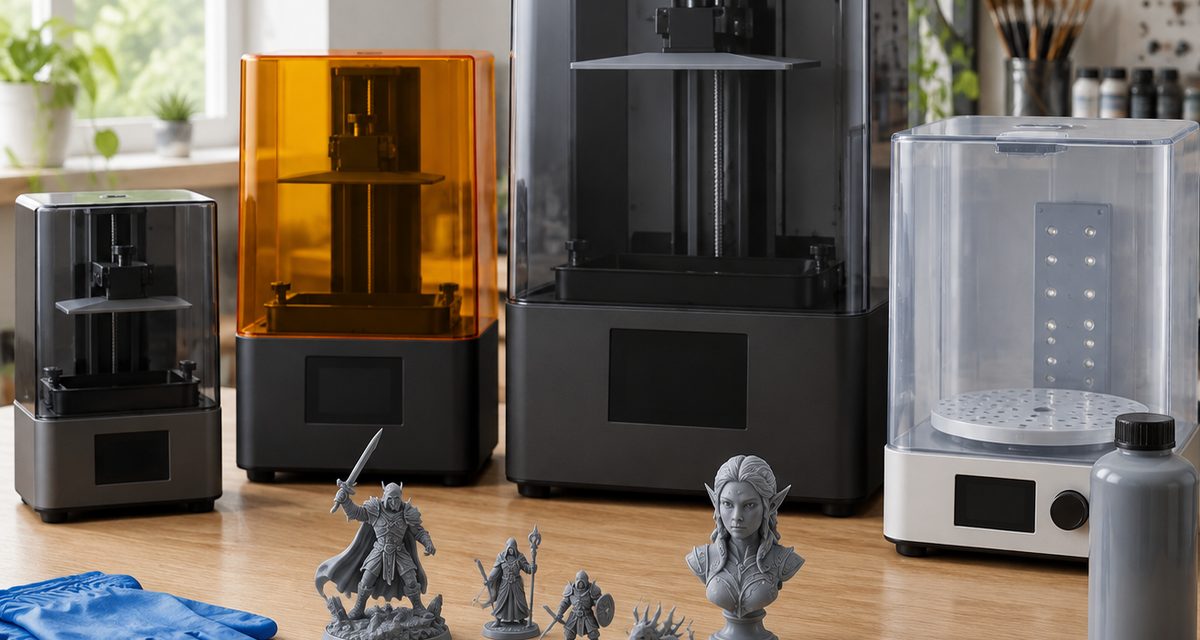
Quick Answer
The best resin printer for most people is the ELEGOO Saturn 4 Ultra 16K: 14 × 19 μm pixels, a plate big enough for batches of miniatures, automatic leveling and a heated resin tank. On a tighter budget or for a first printer, get the ELEGOO Mars 5 Ultra. For big prints, the Anycubic Photon P1 Max has the largest plate here for under $1,000 at its regular price. Whichever you pick, budget for washing, curing, gloves and ventilation as well.
How we chose: we compared the current US lineups from ELEGOO, Anycubic and Phrozen using each maker's own product pages, checked on November 24, 2026, and confirmed that each pick has an Amazon.com listing. We did not test these printers ourselves, so nothing here is a hands-on result. Holiday sales were running when we checked, so we give price ranges based on each maker's regular, non-sale US store price rather than exact figures. Phrozen didn't show a separate regular price, so its range is what its store charged that day. Amazon prices differ. The Amazon buttons are affiliate links, and we may earn a commission from them.
Quick Picks by Buyer
- Most people, especially miniature painters: ELEGOO Saturn 4 Ultra 16K. Fine pixels and room for a full plate of figures.
- First resin printer: ELEGOO Mars 5 Ultra. Self-leveling, compact, with sensors that catch common mistakes.
- Lowest price that still prints fine detail: Phrozen Sonic Mini 8K S. Basic, USB-only, 22 μm pixels.
- Tough, flexible or thick engineering resins, or two materials at once: Anycubic Photon P1.
- Big busts, helmets and props for under $1,000: Anycubic Photon P1 Max.
- Long, full-plate production runs: ELEGOO Jupiter 2, which tops up its own resin.
Resin Printer Comparison Table
All six are MSLA printers: an LED shines through a monochrome LCD that masks each layer onto a vat of resin. Speed figures are each maker's own claim under its own conditions, which is why Anycubic's numbers look low next to ELEGOO's. They aren't measured the same way (more on that below).
Best overall
Screen: 10" 16K mono LCD, 14 × 19 μm pixels
Build volume: 211.68 × 118.37 × 220 mm
Speed claim: Up to 150 mm/h (fast mode)
Price range: $600–$700
Best for beginners and miniatures
Screen: 7" 9K mono LCD, 18 μm pixels
Build volume: 153.36 × 77.76 × 165 mm
Speed claim: Up to 150 mm/h
Price range: Under $350
Best basic budget printer
Screen: 7.1" 8K mono LCD, 22 μm pixels
Build volume: 165 × 72 × 170 mm
Speed claim: Up to 80 mm/h
Price range: Under $300 when checked
Best for specialty resins and two-material prints
Screen: 10.1" 14K mono LCD, 16.8 × 24.8 μm pixels
Build volume: 223 × 126 × 230 mm
Speed claim: 25–35 mm/h (0.05 mm layers, standard resin)
Price range: $600–$700
Best large resin printer under $1,000
Screen: 14" 12K mono LCD, 24.8 × 24.8 μm pixels
Build volume: 285.5 × 214 × 300 mm
Speed claim: 15–25 mm/h (0.05 mm layers, standard resin)
Price range: Just under $1,000
Best for long, large batch jobs
Screen: 14" 16K mono LCD, 20 × 26 μm pixels
Build volume: 302 × 162 × 300 mm
Speed claim: Up to 90 mm/h
Price range: Over $1,200
Sources: ELEGOO, Anycubic and Phrozen US product pages, checked November 24, 2026. Price ranges exclude tax and shipping and change often; check the current price before you buy.
Affiliate disclosure: As an Amazon Associate I earn from qualifying purchases. Amazon buttons on this page open Amazon search results for the product or material named on the button, not a specific listing, so check the exact product, price and seller before buying.
ELEGOO Saturn 4 Ultra 16K
This is the one we'd point most people to. ELEGOO squeezed a 16K panel into a 10-inch screen, which gives 14 × 19 μm pixels across a 211.68 × 118.37 mm plate. That's about twice the plate area of the Mars 5 Ultra, enough for a squad of 28 mm figures or a single bust, with detail as fine as anything else in this guide.
The convenience features address the usual reasons resin prints fail. The tank heats resin to 30 °C, which helps in a cold garage. Leveling is automatic. A mechanical sensor warns when cured bits are left in the tank, before the next print presses them into the screen, and when resin is running low. The tilt-release tank peels each layer off the film instead of yanking it straight up.
- Technology
- MSLA (masked LCD)
- Screen
- 10" 16K mono LCD
- XY pixel size
- 14 × 19 μm
- Build volume
- 211.68 × 118.37 × 220 mm
- Maker's speed claim
- Up to 150 mm/h (fast mode)
- Leveling
- Automatic
- Release film
- PFA
- Connectivity
- Wi-Fi, USB; ELEGOO SatelLite and Chitubox slicers
- Printer size
- 327.4 × 329.2 × 548 mm
- Price range (maker's US store)
- $600–$700
The catches. The 150 mm/h top speed comes with fine print: ELEGOO says its quoted layer time needs fast mode and Chitubox's default settings, including a 2.5-second exposure. Expect slower prints with tougher or specialty resins. The printer also asks for a new release film after 60,000 uses, and ELEGOO's warranty covers the LCD screen for only three months. Replacements are easy to get: ELEGOO sells its screen and PFA film packs for this model directly. Finally, ELEGOO showed a Saturn 5 Ultra at Formnext 2026, due in early 2027, but hasn't published its resolution, screen or price. If you're not printing until spring, it may be worth waiting to see what it offers.
Buy it if
You paint miniatures or figures, want the finest detail of the six picks and enough plate space to print a batch at once.
Skip it if
You print one or two small figures at a time (the Mars 5 Ultra costs less), or you need big single parts like helmets (look at the P1 Max).
Opens Amazon.com search results for this product in a new tab, not a specific listing. Confirm the exact product name on the listing. Amazon affiliate link.
ELEGOO Mars 5 Ultra
The Mars 5 Ultra makes the most sense as a first resin printer. It uses the same tilt release and smart sensor idea as the Saturn, plus one-click automatic leveling and an AI camera that ELEGOO says detects print errors in real time. Its pixels are 18 μm, which is finer than the 16K Jupiter 2 manages on its much larger screen.
The limit is the plate: 153.36 × 77.76 mm. That's fine for a handful of tabletop miniatures, a few rings or a small figure, but you'll be splitting anything bigger into parts or printing more batches. It's also a smaller machine to find a ventilated spot for, at 260 × 268 × 451.5 mm.
- Technology
- MSLA (masked LCD)
- Screen
- 7" 9K mono LCD
- XY pixel size
- 18 μm
- Build volume
- 153.36 × 77.76 × 165 mm
- Maker's speed claim
- Up to 150 mm/h
- Leveling
- Automatic (one click)
- Connectivity
- Wi-Fi, USB; Chitubox slicer
- Printer size
- 260 × 268 × 451.5 mm
- Price range (maker's US store)
- Under $350
The catches. The same 150 mm/h top-speed claim applies, with no test conditions stated on the spec sheet. The release film also has the same 60,000-use replacement prompt, and ELEGOO's three-month LCD warranty applies here too. ELEGOO doesn't list a tank heater for it, so a cold room will matter more than it does on the Saturn. ELEGOO also sells it bundled with the Mercury Plus V3.0 wash and cure station, which tells you the company expects you to need one.
Buy it if
You're new to resin, you mostly print miniatures or small figures, and you want automatic leveling and failure warnings without paying Saturn prices.
Skip it if
You already know you want busts, terrain or batches of more than a few figures. The plate fills up fast, and the Saturn's is twice the area.
Opens Amazon.com search results for this product in a new tab, not a specific listing. Confirm the exact product name on the listing. Amazon affiliate link.
Phrozen Sonic Mini 8K S
Phrozen is a resin specialist, and the Sonic Mini 8K S is its no-frills small printer. You get 22 μm pixels on a 7.1-inch 8K screen and a 165 × 72 × 170 mm build volume, for the lowest price in this guide. For painters who care about detail more than convenience, that's a reasonable trade.
One availability note: when we checked, Phrozen's US store listed it as backordered with an estimated mid-December ship date, while Amazon.com still had listings for it. Be clear about what you give up. Phrozen's spec list shows USB as the only connection, a single linear rail with a lead screw and a standard FEP film. It doesn't list automatic leveling, a camera or tank heating. It's an older, simpler design than the Mars 5 Ultra, and the Mars doesn't cost much more.
- Technology
- MSLA (masked LCD)
- Screen
- 7.1" 8K mono LCD
- XY pixel size
- 22 μm
- Build volume
- 165 × 72 × 170 mm
- Maker's speed claim
- Up to 80 mm/h
- Leveling
- Not listed as automatic
- Release film
- FEP
- Connectivity
- USB; Chitubox, Lychee, VoxelDance Tango and others
- Printer size
- 290 × 290 × 430 mm, 10 kg
- Price range (maker's US store)
- Under $300 when checked
The catches. Without leveling help or failure sensors, the learning curve is steeper, and more of your first failed prints will be yours to diagnose. It's the right choice if the budget really is fixed. If you can stretch to the Mars 5 Ultra, the automation is worth more to a beginner than the price difference.
Buy it if
Your budget is firm, you mainly print miniatures, and you don't mind leveling and troubleshooting by hand.
Skip it if
This is your first resin printer and you can afford the Mars 5 Ultra, or you want Wi-Fi, a camera or a heated tank.
Opens Amazon.com search results for this product in a new tab, not a specific listing. Confirm the exact product name on the listing. Amazon affiliate link.
Anycubic Photon P1
Anycubic built the Photon P1 for people who want to print more than standard grey resin. It's rated for resins up to 8000 cps (very thick engineering, flexible and tough materials), its heated vat holds resin at up to 40 °C, and an optional dual-material kit adds a second tank and plate so you can print two colors or two resin types in one job.
The hardware is a step up from most hobby machines: a ground steel build plate, dual rails with a ball screw, automatic leveling that shows the force at each corner, and a 10.1-inch 14K screen with 16.8 × 24.8 μm pixels over a 223 × 126 × 230 mm build volume. Anycubic also lists a more conservative speed figure: 25–35 mm/h at 0.05 mm layers with standard resin.
- Technology
- MSLA (masked LCD)
- Screen
- 10.1" 14K mono LCD
- XY pixel size
- 16.8 × 24.8 μm
- Build volume
- 223 × 126 × 230 mm
- Maker's speed claim
- 25–35 mm/h (0.05 mm layers, standard resin)
- Leveling
- Automatic, with force feedback
- Release film
- Wave Release film over NFEP
- Software
- Photon Workshop; Chitubox, Lychee and Tango also supported
- Printer size
- 366 × 338 × 539 mm, 13.6 kg
- Price range (maker's US store)
- $600–$700
The catches. The dual-material kit is an extra purchase, and Anycubic says the printer doesn't recognize or heat those dual tanks automatically. Anycubic says its performance figures are based on its own resins and recommended settings, so expect to dial in settings for other brands. There's no automatic resin refill. If you only ever print standard resin miniatures, you're paying for abilities you won't use, and the Saturn 4 Ultra 16K has finer pixels in both directions.
Buy it if
You want to try tough, flexible, castable or very thick resins, or you like the idea of two colors or materials in one print.
Skip it if
You print standard resin miniatures and want the finest detail per dollar. The Saturn 4 Ultra 16K has finer pixels in the same price range.
Opens Amazon.com search results for this product in a new tab, not a specific listing. Confirm the exact product name on the listing. Amazon affiliate link.
Anycubic Photon P1 Max
If "large" is the requirement, the P1 Max gives you the most space for the money here. Its 285.5 × 214 × 300 mm build volume (Anycubic calls it 18.3 L) has a bigger plate than the Jupiter 2's, and Anycubic's regular US price is just under $1,000. That's room for a full-size bust, helmet sections for cosplay, or a whole plate of display figures.
It shares the P1's ground steel plate, 8000 cps resin rating and Wave Release film, which Anycubic says cuts release force by 60% compared with smooth NFEP film. Its vat holds 1.9 L and heats resin to up to 35 °C when the room is at least 5 °C. Its rails are dual linear guides with ball screws, which matters on tall, heavy prints. The trade-off for size is detail: 24.8 μm pixels on a 14-inch 12K screen. That's fine for props and busts, and a step down from the Saturn on small miniatures.
- Technology
- MSLA (masked LCD)
- Screen
- 14" 12K mono LCD
- XY pixel size
- 24.8 × 24.8 μm
- Build volume
- 285.5 × 214 × 300 mm
- Maker's speed claim
- 15–25 mm/h (0.05 mm layers, standard resin)
- Leveling
- Factory calibrated, with self-check
- Resin vat
- 1.9 L
- Software
- Photon Workshop; Chitubox, Lychee and Tango also supported
- Printer size
- 430 × 414 × 625 mm, 23.1 kg
- Price range (maker's US store)
- Just under $1,000
The catches. It's a 23 kg machine with a 430 × 414 mm footprint, and it needs a big wash and cure station. Anycubic sells it bundled with the Wash & Cure 3 Max. There's no automatic refill, so long prints mean checking the resin level yourself, and Anycubic's speed figure is 15–25 mm/h at 0.05 mm layers. Tom's Hardware's review, which otherwise rated it highly, listed "AI features can be a little touchy" and "Build plate level system is odd" among its drawbacks.
Buy it if
You print large single pieces such as busts, helmets or props, and you want the biggest plate you can get without going over $1,000.
Skip it if
You mainly print 28 mm miniatures. Smaller pixels matter more to you than plate area, and a 10-inch printer is easier to live with.
Opens Amazon.com search results for this product in a new tab, not a specific listing. Confirm the exact product name on the listing. Amazon affiliate link.
ELEGOO Jupiter 2
The Jupiter 2 is the pick for full-plate production: batches of figures for a store, terrain for a whole table, long prints you want to leave alone. Its standout feature is automatic resin feeding and recycling. A two-way pump and a 2 kg bottle keep the tank topped up during the print and pull resin back out afterward. None of the other picks here do that.
It also has a 14-inch 16K screen with 20 × 26 μm pixels, finer than the P1 Max's 24.8 μm, over a 302 × 162 × 300 mm build volume. Leveling uses four independent force sensors, and the tank heats to 30 °C. The screen and PFA film are designed to swap quickly, and ELEGOO sells replacement screens and PFA films for it.
- Technology
- MSLA (masked LCD)
- Screen
- 14" 16K mono LCD
- XY pixel size
- 20 × 26 μm
- Build volume
- 302 × 162 × 300 mm
- Maker's speed claim
- Up to 90 mm/h
- Leveling
- Automatic (four force sensors)
- Release film
- PFA (quick-swap)
- Connectivity
- Wi-Fi, USB
- Slicer
- ELEGOO SatelLite; others not confirmed
- Printer size
- 465 × 508.1 × 648.1 mm, 28.9 kg
- Price range (maker's US store)
- Over $1,200
The catches. Size and price. At 28.9 kg and nearly 650 mm tall, it needs a sturdy table and a big ventilated space, and at over $1,200 it's the most expensive printer here. Its plate is actually smaller than the P1 Max's, so you're paying for automatic refilling and finer pixels, not more room. Check wash-station fit too: ELEGOO's own Mercury Plus V3.0 needs Jupiter parts removed from the plate before washing. And if you use Chitubox or Lychee, see the software note below before buying.
Buy it if
You run long, full-plate jobs, sell prints, or hate babysitting resin levels, and you have the space for a 29 kg printer.
Skip it if
You print large pieces only now and then. The P1 Max has a bigger plate for less money.
Opens Amazon.com search results for this product in a new tab, not a specific listing. Confirm the exact product name on the listing. Amazon affiliate link.
Also Worth Knowing About
- Phrozen Sonic Mighty 16K (Phrozen also calls it the Mighty Revo 16K). It matches the Saturn 4 Ultra 16K on paper, with 14 × 19 μm pixels and a 211.68 × 118.37 × 235 mm build volume, and adds dual linear rails, Ethernet and a 30 °C chamber heater. Phrozen's US store had it in the $700s and listed it as backordered when we checked. We left it out of the main picks because it doesn't offer a different kind of printer, but it's a solid alternative if you'd rather buy from a resin-only brand.
- ELEGOO Saturn 5 Ultra. Shown at Formnext 2026 with automatic resin monitoring and refilling, and planned for early 2027. Resolution, screen type and price weren't announced, so we can't recommend it yet.
- Professional resin systems. If you need dental or engineering parts with service contracts and validated materials, you're shopping in a different price class from this guide, and you should talk to those vendors directly.
Resin vs Filament Printer: The Practical Difference
A filament (FDM) printer melts plastic and draws each layer with a nozzle. A resin printer cures a whole layer at once with light. That makes resin great at tiny detail and smooth surfaces, and less suited to big, tough, everyday parts.
| Resin (MSLA) | Filament (FDM) | |
|---|---|---|
| Fine detail | Excellent; pixel sizes around 14–25 μm | Limited by nozzle size and visible layer lines |
| Part size | Small to medium unless you buy a large machine | Much larger for the same money |
| After printing | Wash, cure, remove supports, dispose of waste | Remove supports; done |
| Handling | Gloves every time; uncured resin can cause skin allergies | No skin hazard from the spool itself |
| Best for | Miniatures, figures, jewelry patterns, display models | Functional parts, organizers, large props, prototypes |
Plenty of people own both. If you're not sure where to start, our beginner 3D printer guide covers filament machines, and our under-$1,000 guide compares a resin pick against enclosed and multicolor filament printers at the same budget.
What Actually Matters When Choosing a Resin Printer
Build volume, and the plate in particular
Height rarely limits you; plate area does. The Saturn 4 Ultra 16K's plate is about 25,000 mm² and the Mars 5 Ultra's about 12,000 mm². The P1 Max's is around 61,000 mm². Picture how many of the things you print fit side by side with supports, because that decides how many batches you'll run.
XY pixel size, not the K number
What is XY pixel size?
XY pixel size The width and height of one screen pixel, in microns (μm). It's the smallest step the printer can make across the plate. Smaller means finer detail. The K number only counts pixels, so it means nothing without the screen size.
Here's why the K number misleads: the Saturn 4 Ultra 16K and the Jupiter 2 both list 15120 × 6230 pixels. Spread over a 10-inch screen that's 14 × 19 μm; over a 14-inch screen it's 20 × 26 μm. The 9K Mars 5 Ultra, at 18 μm, beats the 16K Jupiter on detail. Some pixels also aren't square, so look at both numbers.
Print speed claims
Resin speed is measured in millimeters of height per hour, and it depends on layer height, exposure time and resin. ELEGOO quotes "up to" figures in fast mode with short default exposures. Anycubic quotes a range at 0.05 mm layers with standard resin. That's why the P1's 25–35 mm/h and the Saturn's 150 mm/h can't be compared directly. A full plate prints in the same time as a single part, so plate area often saves more time than raw speed.
Reliability and maintenance features
Common causes of failed resin prints are poor leveling, cold resin, cured debris in the tank, and prints pulling off the plate. Automatic leveling, a heated tank and a debris sensor each remove one of those causes. Tilt or "wave" release films lower the peel force on every layer, which helps large flat sections. None of these features replace good supports and orientation, but together they make a first printer far less frustrating.
Replacement screens and films
Release films wear out and get punctured; screens eventually fail or get damaged by cured debris. Before buying, check that the maker sells the exact screen and film for that model. ELEGOO lists both for the Saturn 4 Ultra 16K and Jupiter 2, and FEP packs for the Mars 5 Ultra. Also read the warranty: ELEGOO covers LCD screens for three months.
Software compatibility
The Saturn, Mars, Sonic Mini 8K S and both Anycubic printers list Chitubox support. The Anycubic printers also support Lychee and Tango alongside Anycubic's Photon Workshop, and the Sonic Mini 8K S supports Lychee and Tango. The Jupiter 2 is the exception. In a customer Q&A on its US product page, ELEGOO said the printer was "currently only compatible with ELEGOO SatelLite," with other slicers to come later. That answer isn't dated, and we couldn't find official documentation confirming Chitubox or Lychee support since. Whichever printer you choose, if you already pay for a slicer or follow a creator whose presupported files target one, check that your printer appears in its printer list before you buy.
Resin and consumables
You aren't locked to one brand of resin, but the printer maker's own resins are the ones its settings and performance claims are based on. Anycubic says so explicitly for the Photon P1. Our resin materials guide compares standard, tough, flexible and plant-based resins, and which jobs each one suits.
Resin Safety: What to Plan For
Liquid resin is the part of this hobby to take seriously. Read the safety data sheet for the resin you buy. ELEGOO, for example, publishes safety data sheets for each of its resins. These are the basics from manufacturer and occupational-safety guidance:
- Skin. Formlabs warns that resin may cause skin irritation or an allergic skin reaction and recommends nitrile or neoprene gloves, not latex, for liquid resin, printer parts and unwashed prints. If resin gets on your skin, wash with soap and water, not alcohol, hand sanitizer or other solvents. Gloves only help if you use them well: change them when they're contaminated, and don't touch your phone or face with them on.
- Air. A NIOSH-led study of five desktop resin printers measured particles and volatile organic compounds from every machine. Those were SLA and DLP printers rather than the LCD printers here, so treat it as a reason for caution, not a measurement of your setup. NIOSH's 3D printing guidance favors ventilation at the source. The lid on your printer and a small carbon filter reduce smell; they don't make a closed room safe. Print in a space you don't live in, or in an enclosure vented outdoors, and keep the wash station in the same place.
- Spills. Keep the printer on a tray or silicone mat. Wipe spills with paper towels while wearing gloves, then clean the surface with your cleaning liquid. Keep bottles closed and away from sunlight, children, pets and food.
- Curing. Finished prints need a full UV cure after washing. Until then, handle them with gloves. Don't assume a print that feels dry is fully cured.
- Disposal. Formlabs says never pour liquid resin, or solvent containing dissolved resin, down the drain. Where you have no chemical waste service, Formlabs describes curing small amounts of liquid resin solid in a labeled, clear container left in sunlight for 1–10 days, and curing resin-soaked paper towels the same way, before throwing them out with household waste. Liquid resin and resin-laden solvent may count as hazardous waste where you live, so check your resin's safety data sheet and your local hazardous-waste program, especially for used IPA.
No single item makes resin printing risk-free: not gloves, not the printer's lid and not a carbon filter. It's the combination of skin protection, a separate ventilated space, careful cleanup and proper disposal that keeps the risk low.
Setting up a resin corner?
Our ventilation guide covers venting an enclosure outdoors, and what carbon filters and air purifiers can and can't do for resin.
Common Resin Printer Buying Mistakes
- Comparing K numbers. A 16K label on a 14-inch screen gives bigger pixels than a 9K label on a 7-inch one. Compare μm.
- Buying the biggest printer for miniatures. Large printers use more resin per fill, need a bigger wash station and have larger pixels. If you print 28 mm figures, a 10-inch printer is the sweet spot.
- Forgetting the workspace. Buying the printer before you know where it will go, how it will be ventilated and where you'll wash parts can leave you with a printer you can't use safely.
- Trusting the speed claim. Maker speeds are best cases under each maker's own settings. Plan around plate area and batch size.
- Skipping spare film. A punctured film on a Saturday means no printing until the new one arrives.
- Buying a resin printer for functional parts. Standard resin is brittle. For brackets, mounts and organizers, a filament printer is the better tool.
Printing tabletop miniatures?
Our miniature printer guide compares resin and filament options for painters, including support and finishing tips.
Frequently Asked Questions
What is the best resin printer for most people?
The ELEGOO Saturn 4 Ultra 16K. Its 14 × 19 μm pixels are among the finest on a 10-inch printer, its 211.68 × 118.37 mm plate fits a full squad of miniatures or a bust, and it adds automatic leveling, a heated resin tank and tilt release. Buy the Mars 5 Ultra instead if you only print a few miniatures at a time and want to spend less.
What is the best resin 3D printer for beginners?
The ELEGOO Mars 5 Ultra. It levels itself with one click, has a camera and sensors that warn about resin shortages and leftover cured bits in the tank, and its small footprint is easier to fit into a ventilated corner. The small plate is the trade-off: it suits miniatures and small figures, not large busts.
What is the best resin printer for miniatures?
For detail, the Saturn 4 Ultra 16K, because its 14 × 19 μm pixels are the smallest of the six main picks in this guide. For a smaller budget, the Mars 5 Ultra has 18 μm pixels, and the Phrozen Sonic Mini 8K S has 22 μm pixels for less money with fewer conveniences.
Is a 16K resin printer better than an 8K or 9K one?
Not automatically. The K number counts pixels across the screen, so the same 16K panel gives finer detail on a 10-inch printer than on a 14-inch one. The ELEGOO Jupiter 2 is 16K with 20 × 26 μm pixels, while the 9K Mars 5 Ultra has 18 μm pixels. Compare the XY pixel size, not the K number.
Do I need a wash and cure station?
You need some way to wash uncured resin off every print and then cure it under UV light. A wash and cure station makes that tidier and more repeatable, but a lidded container of cleaning liquid and a UV curing light also work. Match a station to your build plate size, and use the cleaning liquid your resin maker specifies.
Can I use a resin printer in a bedroom or apartment?
Not in a room where you sleep or spend hours. Uncured resin can cause skin allergies, and resin printers give off vapors and particles. In an apartment, use a separate room or a vented enclosure that exhausts outdoors, keep the printer away from food areas, children and pets, and plan where you will wash, cure and store waste.
How much does a resin printer cost to run?
More than the printer's price suggests. Budget for resin, gloves, cleaning liquid, paper towels, release films that wear out, an occasional replacement screen, a way to wash and cure prints, and ventilation. ELEGOO's own warranty, for example, covers LCD screens for three months, so treat screens and films as parts you will eventually replace.
Final Recommendation
For most people, buy the ELEGOO Saturn 4 Ultra 16K. It has the finest detail of our six picks, a plate that fits real batches, and the features that prevent the usual failures. If it's your first resin printer and you mostly print a few miniatures at a time, the Mars 5 Ultra is the better-value start. Go large only if you actually print large: the Anycubic Photon P1 Max for size per dollar, the ELEGOO Jupiter 2 if automatic refilling for long runs is worth the extra cost.
And before any of them, sort out where it will live. A ventilated space, gloves and a plan for washing and waste matter as much as the printer you pick.
Sources
- ELEGOO Saturn 4 Ultra 16K product page (US)
- ELEGOO Mars 5 Ultra product page (US)
- ELEGOO Jupiter 2 product page (US)
- OC3D, ELEGOO Saturn 5 Ultra at Formnext 2026
- Anycubic Photon P1 product page and FAQ (US)
- Anycubic Photon P1 Max product page (US)
- Tom's Hardware, Anycubic Photon P1 Max review (2026)
- Phrozen Sonic Mini 8K S product page (US)
- Phrozen Sonic Mighty 16K product page (US)
- Formlabs, resin care and safe handling
- Formlabs, disposing of resin
- ELEGOO resin safety data sheets
- Stefaniak et al. (2019), emissions from desktop resin 3D printers
- NIOSH, 3D printing health and safety questions
Affiliate Disclosure: This guide contains Amazon affiliate links. If you buy through them, we may earn a commission at no extra cost to you. Commission did not decide which printers we recommend. See our full disclosure for details.
As an Amazon Associate I earn from qualifying purchases.